
Convert stone to pounds quickly and check the same weight as a UK-style stone-and-pounds value.
Table of contents
How to use our Stone to Pounds Converter
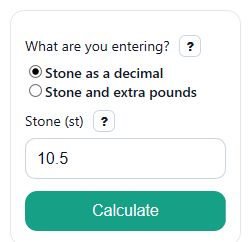
- Choose "Stone as a decimal" if you have one value like 10.5, or choose "Stone and extra pounds" if you have a value like 10 stone 7 pounds.
- Enter the visible weight fields only: either "Stone (st)" or both "Stone (st)" and "Extra pounds (lb)".
- Click "Calculate" to see "Total weight (lb)" first, then the matching "Same weight as stone and pounds" breakdown.
- Sanity-check the result: every 1 stone should add 14 lb, so 10.5 st should equal 147 lb and 10 st 7 lb should also equal 147 lb.
Definitions
Stone (st): A UK weight unit. One stone equals 14 pounds [2].
Pound (lb): The smaller weight unit used for the main converted result.
Decimal stone: One stone value with a decimal, such as 10.5 st.
Stone and extra pounds: A UK-style way to write weight using whole stone plus pounds left over, such as 10 st 7 lb.
Normalized: Rewritten into whole stone plus the remaining pounds, with the pounds part kept under 14 after rounding.
Common mistakes and quick fixes
Mistake: Typing 10.7 into "Stone (st)" when you really mean 10 stone 7 pounds.
Fix: Switch "What are you entering?" to "Stone and extra pounds" and enter 10 in "Stone (st)" plus 7 in "Extra pounds (lb)".
Mistake: Reading 10.5 stone as 10 stone 5 pounds.
Fix: In decimal mode, "Stone (st)" uses a decimal, so 10.5 st equals 147 lb and shows as 10 st 7 lb in "Same weight as stone and pounds".
Mistake: Entering a negative value in "Stone (st)" or "Extra pounds (lb)".
Fix: Use 0 or more only. Negative body weight values are rejected by this converter.
Mistake: Thinking "Extra pounds (lb)" must stay under 14, so you stop and do the rollover yourself.
Fix: You can enter 14 or more. The converter still finds "Total weight (lb)" and normalizes "Same weight as stone and pounds" for you.
Mistake: Ignoring decimals in "Extra pounds (lb)" and rounding too early.
Fix: If your pounds value has a fraction, enter it as typed. The converter uses it in "Total weight (lb)" and then rounds the displayed breakdown if needed.
Limitations & Key Assumptions / Boundary Conditions
- This converter is for stone-to-pounds entry only. It does not take pounds-first input as a separate mode.
- It rejects negative inputs because consumer body-weight entries should be 0 or more.
- If you enter decimal values in "Extra pounds (lb)", the displayed stone-and-pounds breakdown may round the pounds part for readability.
- If the rounded remaining pounds reaches 14.00, the result carries 1 more stone and shows 0.00 lb remaining.
- The result assumes the standard conversion factor of 1 stone = 14 pounds [2].
Methodology
How the conversion works
If you enter weight as decimal stone, the converter multiplies the stone value by 14.
lb = st * 14
If you enter whole stone and extra pounds, the converter first turns everything into pounds.
lb_total = st * 14 + lb_extra
Then it rewrites the total as whole stone plus pounds left over.
st_norm = floor(lb_total / 14)
lb_rem = lb_total - 14 * st_norm
Worked mini-example
Example 1:
10.5 stone means 10.5 * 14 = 147 lb, which normalizes to 10 st 7 lb.
Example 2:
5 st 16 lb means 5 * 14 + 16 = 86 lb, which normalizes to 6 st 2 lb.
Rounding and display
If the remaining pounds has decimals, the converter rounds the displayed pounds part. If that rounded part becomes 14.00 lb, it carries 1 stone and resets the pounds remainder to 0.00 lb.
Assumptions used
The math uses the exact conversion 1 stone = 14 pounds [2]. Only the active input mode is read, so hidden fields do not affect the result.