
Enter an area in square millimeters to find its equivalent area in square inches with your chosen displayed rounding.
Advanced options
This is an area, not a side length.
Table of contents
How to use our Square Millimeters to Square Inches Converter
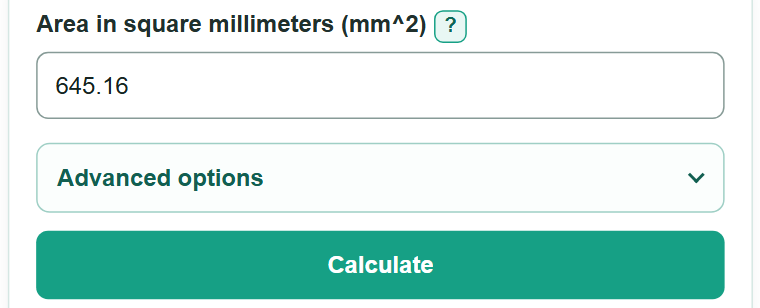
- Copy the area from your drawing, label, worksheet, specification, or CAD export into "Area in square millimeters (mm^2)."
- Enter a plain number, a grouped number such as 2,500, or an area value with a suffix such as mm2, mm^2, or sq mm.
- Open "Advanced options" and change "Result decimal places" only if your worksheet, drawing, or form needs a different displayed rounding.
- Select "Calculate" to get the equivalent area in square inches.
- Sanity-check the scale: 645.16 mm2 equals exactly 1 in2, so an area much smaller than 645.16 mm2 should be less than 1 in2.
Definitions
Square millimeter (mm2): An area unit equal to a square that is 1 millimeter on each side.
Square inch (in2): An area unit equal to a square that is 1 inch on each side.
Area: The amount of flat surface inside a two-dimensional shape. Area uses squared units, unlike length.
Decimal places: Digits shown to the right of the decimal point. This setting changes displayed rounding, not the conversion.
Common mistakes and quick fixes
Mistake: Entering a side length in mm instead of an area in mm 2.
Fix: Calculate the area first, such as length times width for a rectangle, then enter that area in square millimeters.
Mistake: Using 25.4 as the area conversion factor.
Fix: 25.4 converts length. For area, the factor is 25.4 squared, or 645.16 mm 2 per in 2.
Mistake: Typing a linear unit such as "25 mm."
Fix: Enter an area marked "25 mm2," "25 mm^2," "25 sq mm," or "25 square millimeters."
Mistake: Using commas in a pattern such as 1,01.
Fix: Use commas only as thousands separators, such as 1,000 or 25,000. Use a decimal point for fractions.
Mistake: Treating a displayed zero as a zero area.
Fix: Increase "Result decimal places" if a very small nonzero area rounds to 0.
Limitations & Key Assumptions / Boundary Conditions
- This converter changes area units only. It does not calculate area from length, width, radius, or other shape measurements.
- The entered value must be a finite area of 0 mm2 or more. Negative area is not valid.
- The unit conversion is exact before display rounding, but an area copied from a drawing, CAD export, or physical measurement may already be rounded or uncertain.
- With a low decimal-place setting, a very small nonzero area can display as 0. Increase the displayed decimal places when small values matter.
Methodology
Conversion method
One inch is exactly 25.4 millimeters. Since area uses two dimensions, squaring 25.4 gives 645.16 square millimeters per square inch.
square inches = square millimeters / 645.16
Worked example
For 645.16 mm2, divide by 645.16. The converted area is exactly 1 in2.
645.16 / 645.16 = 1
Rounding
The calculator keeps the unrounded converted value and rounds only the displayed answer to your selected number of decimal places.