
Convert seconds to months using an average, 30-day, 31-day, or calendar-based month rule.
Table of contents
How to use our Seconds to Months Converter
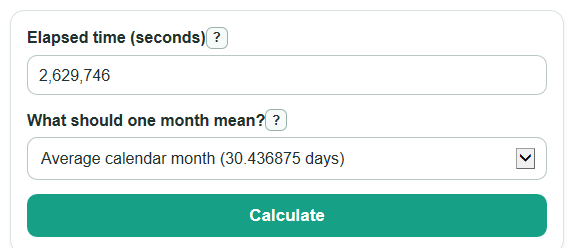
- Enter the elapsed time in the Elapsed time box, using seconds. Commas and spaces are okay.
- Choose What should one month mean? Pick an average month for a general conversion, 30-day or 31-day for a fixed rule, or calendar months when dates matter.
- If you choose the calendar method, set the Start date and Start time so the converter can count full calendar months from that exact point.
- Select Calculate, then read Months from your seconds first and check Month rule used so you know the assumption behind the answer.
- Sanity-check the result with Same time in days. About 30 days should be near 1 month only when the selected month rule makes that true.
Definitions
Second: The SI base unit of time [2]. This converter treats your Elapsed time value as a count of seconds.
Average calendar month: A month length of 30.436875 days, found by dividing the 365.2425-day Gregorian calendar year by 12.
30-day month: A fixed rule where 1 month is exactly 30 days, or 2,592,000 seconds.
31-day month: A fixed rule where 1 month is exactly 31 days, or 2,678,400 seconds.
Complete calendar month: A full month counted from a specific start date and time, such as January 15 to February 15.
Leftover time after full calendar months: The days, hours, minutes, and seconds remaining after the converter counts as many complete calendar months as possible.
Common mistakes and quick fixes
Mistake: Treating Months from your seconds as if every month has the same length.
Fix: Check What should one month mean? and use the rule that matches your homework, billing rule, or date problem.
Mistake: Typing words like "2.6 million" into Elapsed time .
Fix: Enter digits such as 2,600,000; commas and spaces are fine, but words are not.
Mistake: Choosing calendar mode but leaving Start date on the default date.
Fix: Set Start date to the real starting date before reading End date and time .
Mistake: Ignoring Start time when the leftover hours and minutes matter.
Fix: Set Start time to the exact time, especially for short durations or deadline checks.
Mistake: Comparing results from two websites without checking Seconds used for one month .
Fix: Use Seconds used for one month to see whether the other result used an average, 30-day, or 31-day month.
Limitations & Key Assumptions / Boundary Conditions
- The average method uses 30.436875 days per month. It is useful for a general conversion, but it is not the exact length of any one real month.
- The 30-day and 31-day methods are fixed-rule conversions. Use them only when your problem defines a month that way.
- Calendar mode depends on the chosen Start date, Start time, and the local time zone used by the browser.
- Calendar mode counts complete calendar months first, then leftover time. It does not divide by one seconds-per-month value.
- For end-of-month starts, a target month that does not have the same day number uses the last day of that target month.
- Very large elapsed times can exceed the safe date range available to the browser. In that case, use the average, 30-day, or 31-day method instead.
- The converter is for elapsed time conversion, not for legal age, payroll, subscription, or contract decisions unless the chosen month rule matches the rule used by that system.
Methodology
Fixed month conversions
The converter first removes commas and spaces from Elapsed time, then checks that the value is finite and at least 0 seconds. For non-calendar methods, it divides seconds by the selected seconds-per-month value.
months = seconds / 2629746
months = seconds / (30 * 86400)
months = seconds / (31 * 86400)
The average Gregorian value comes from 365.2425 days per year divided by 12 months, then multiplied by 86,400 seconds per day.
2629746 = (365.2425 / 12) * 86400
Days result
Same time in days is always seconds divided by 86,400, because 1 day has 24 hours, 60 minutes per hour, and 60 seconds per minute.
days_total = seconds / 86400
Calendar month method
Calendar mode starts with the selected Start date and Start time, adds the elapsed seconds to get an end date and time, then finds the largest whole number of calendar months that fits between the two dates.
end_datetime = start_datetime + seconds
full_calendar_months = largest whole number m where add_calendar_months(start_datetime, m) <= end_datetime
leftover_seconds = end_datetime - add_calendar_months(start_datetime, full_calendar_months)
When adding calendar months, the same day number is used when possible. If the target month does not have that day number, the last day of the target month is used.
Mini example
If Elapsed time is 2,629,746 seconds and the average calendar month method is selected, the calculation is 2,629,746 / 2,629,746 = 1 month. The same time in days is 2,629,746 / 86,400 = 30.436875 days.