
Convert quarts to liters fast, choose the right quart type, and also see milliliters for recipes and container sizes.
Table of contents
How to use our Quarts to Liters Converter
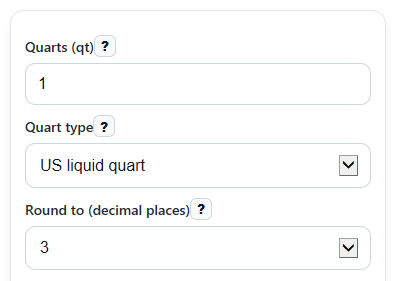
- Enter the amount in Quarts (qt). You can use whole numbers, decimals, 0, or a negative value if you are measuring a change.
- Choose the correct Quart type: US liquid quart, US dry quart, or Imperial quart.
- Pick Round to (decimal places) if you want fewer or more digits in the results.
- Click Calculate to see Liters, Milliliters, the Conversion factor used, and the Quart type note.
- Sanity-check the answer by confirming the Quart type note matches your container or recipe, because changing Quart type changes the result.
Definitions
Quart (qt): A volume unit. In this calculator, it can mean a US liquid quart, US dry quart, or imperial quart.
Quart type: The quart definition you choose. This setting changes the conversion factor and the final answer.
Liter (L): A metric unit of volume and the main converted result shown by the calculator.
Milliliter (mL): One-thousandth of a liter. There are 1000 mL in 1 L.
Conversion factor used: The number of liters in 1 quart for the selected quart type, shown in L per qt.
Decimal places: How many digits appear after the decimal point in the displayed results.
Common mistakes and quick fixes
Mistake: Typing a number in Quarts (qt) but leaving spaces, commas, or extra text that make it invalid.
Fix: Enter only a real number in Quarts (qt) , such as 1, 1.5, or -2.
Mistake: Using the default Quart type when your recipe or package really uses dry or imperial quarts.
Fix: Check the source and pick the matching option in Quart type before trusting Liters .
Mistake: Thinking Milliliters should be a different amount than Liters instead of the same volume in a smaller unit.
Fix: Remember that Milliliters is just Liters multiplied by 1000.
Mistake: Choosing too few digits in Round to (decimal places) and then wondering why the result looks slightly off.
Fix: Increase Round to (decimal places) to 4 or 6 when you want a more precise Liters or Milliliters value.
Mistake: Assuming Conversion factor used should always be 0.946352946.
Fix: Read Conversion factor used each time, because it changes with Quart type .
Mistake: Treating a negative Liters result like a physical filled container amount.
Fix: Use negative Quarts (qt) only for differences or changes, and read the Quart type note to interpret it correctly.
Limitations & Key Assumptions / Boundary Conditions
- The result depends completely on the selected Quart type. Picking the wrong quart definition gives the wrong conversion.
- This calculator converts volume only. It does not convert weight, so it cannot replace ingredient-specific mass measurements.
- Displayed values are rounded based on Round to (decimal places), so the shown number may be slightly shorter than the full exact value.
- Negative entries are allowed for math consistency, but negative volume usually represents a change or difference, not a real filled container.
- The calculator uses fixed conversion constants for US liquid quart, US dry quart, and imperial quart. Real labels or recipes may still need you to verify which quart system they mean.
Methodology
How the calculator works
The calculator first reads your Quarts (qt) value and the selected Quart type. It then applies the matching liters-per-quart constant.
L = qt * factor
Here, L is liters, qt is the entered quart amount, and factor is the liters in 1 quart for the chosen quart type.
mL = L * 1000
This converts liters to milliliters using the exact metric relationship of 1000 mL in 1 L.
Constants used
US liquid quart factor = 0.946352946 L per qt
US dry quart factor = 1.101220942715 L per qt
Imperial quart factor = 1.1365225 L per qt
Mini example
If you enter 2 quarts and choose US dry quart, the calculator multiplies 2 by 1.101220942715.
L = 2 * 1.101220942715 = 2.20244188543
mL = 2.20244188543 * 1000 = 2202.44188543
With 3 decimal places selected, the displayed results become 2.202 L and 2202.442 mL.
Rounding and interpretation
The calculator rounds the displayed Liters and Milliliters values to your chosen number of decimal places. It also shows the Conversion factor used and a short Quart type note so you can confirm the quart definition before using the result.
Assumptions and limits
This method assumes the chosen quart type is correct and uses fixed conversion constants. If a recipe, label, or source uses a different quart system than the one you selected, your result will differ even when the math is done correctly.