
Enter a positive base and whole tower height to calculate the chosen parenthesized power expression and its base-10 logarithm.
Table of contents
How to use our Power Tower Calculator
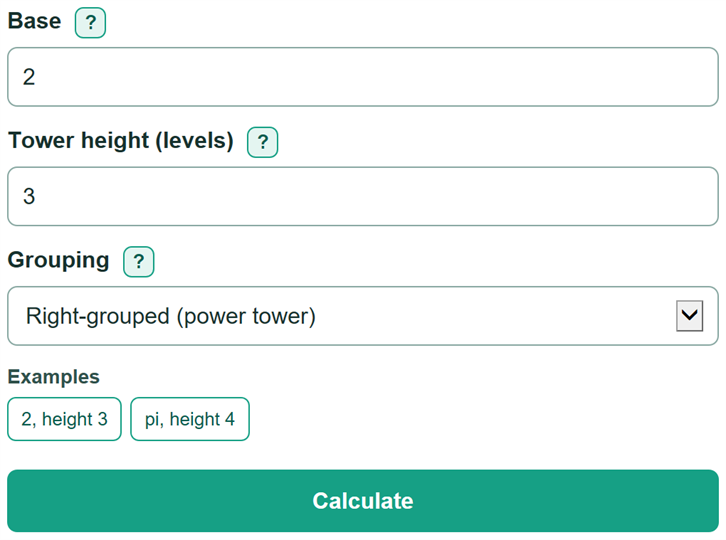
- Enter one positive Base, such as 2, 0.5, pi, or e. The Base field accepts one number or named constant, not an expression such as 2+3.
- Enter the Tower height as a whole number from 0 through 10. A height of 3 uses three copies of the base.
- Choose Right-grouped for a standard power tower, or Left-grouped when the parentheses start at the left.
- Click Calculate. Read the parenthesized expression first, then the calculated value and its base-10 logarithm.
- Sanity-check the grouping with a small case: right-grouped 2 at height 3 is 2^(2^2) = 16, while changing grouping changes the expression.
Definitions
Base: The positive number repeated in every level of the expression. The calculator also accepts pi and e.
Tower height (levels): The number of copies of the base. Height 0 is defined as 1.
Right-grouped power tower: A stack evaluated from the top down, such as 2^(2^2). This is the finite power-tower convention. [1]
Left-grouped repeated power: A chain evaluated from the left, such as (2^2)^2. It is a different expression from a right-grouped tower.
Base-10 logarithm: The number L for which a positive value equals 10^L. It describes the size of a value that is too large or too small to write directly. [2]
Common mistakes and quick fixes
Mistake: Typing 2^3 or 2+3 into Base.
Fix: Enter only one positive number, pi, or e. Put the number of stacked copies in Tower height.
Mistake: Treating 3^(3^3) and (3^3)^3 as equal.
Fix: Enter Base 3 and Tower height 3, then compare the Grouping options. Right-grouped gives 7625597484987; left-grouped gives 19683.
Mistake: Entering a fractional or negative Tower height.
Fix: Use a whole number from 0 through 10. This calculator defines only finite towers with a whole number of levels.
Mistake: Reading a display-limit message as infinity.
Fix: Use the base-10 logarithm to describe the finite size. A logarithm of L means the value has magnitude 10^L.
Mistake: Using commas like 1,,2 in Base.
Fix: Use commas only in normal thousands groups, such as 1,200, or enter 1200 without commas.
Limitations & Key Assumptions / Boundary Conditions
- Only positive, finite real bases are supported. Zero, negative bases, complex numbers, and general expressions are outside the calculation.
- Height must be a whole number from 0 through 10. The calculator does not evaluate fractional-height or infinite power towers.
- Direct values are displayed only when their base-10 logarithm is from -300 through 300. Outside that range, the value is still finite but is reported with a display-limit message.
- For extremely large towers, the base-10 logarithm can also exceed the calculator's finite numeric range. That is a computation limit, not mathematical infinity.
- Non-integer results and logarithms are approximate because they use finite-precision computer arithmetic.
Methodology
Grouping and calculation
The calculator first builds the expression from the selected grouping. A right-grouped tower evaluates from the top down; a left-grouped chain evaluates from the left. Finite power towers use the right-grouped recurrence. [1]
T0 = 1; Tn = a^Tn-1
L0 = 1; L1 = a; Ln = Ln-1^a
In these formulas, a is the base, n is the tower height, T is the right-grouped result, and L is the left-grouped result. For height 0, both groupings return 1.
Logarithm check
The calculator finds the base-10 logarithm of the selected result before trying to show a very large or very small decimal value.
log10(value) = log10(selected result)
A logarithm of L means the result has magnitude 10^L. For example, with base 2 and height 3, the right-grouped expression is 2^(2^2) = 16, and log10(16) is approximately 1.2041199827. With base pi and height 4 under right grouping, the direct value is too large to write out, but its base-10 logarithm is approximately 6.662624529708485e17.
Display rule
The direct calculated value is shown only when its base-10 logarithm is from -300 through 300. Otherwise, the calculator reports a direct display limit and keeps the logarithm when it remains within the supported numeric range.