
Enter millimeters to find the matching decimal inches, plus an optional rounded fraction for your ruler or tool.
Table of contents
How to use our mm to Inches Converter
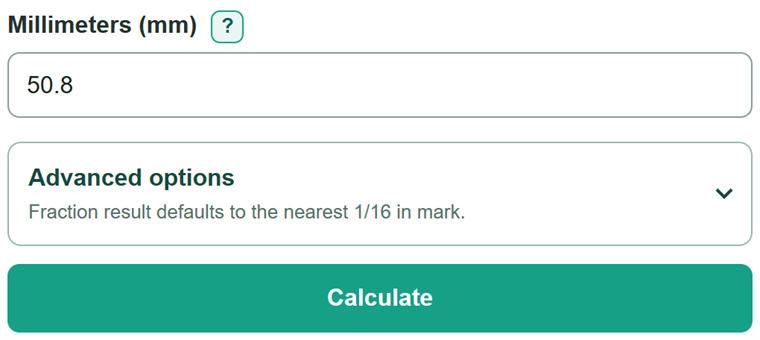
- Enter one value in Millimeters (mm), such as 12.5, 100, or 1,000. You may also type mm after the number.
- Click Calculate to see Inches (decimal), which is the direct conversion.
- Open Advanced options and choose the smallest marks on your ruler or tool: 1/16 in, 1/32 in, or 1/64 in.
- Use Inches rounded to the selected fraction to find the nearest ruler mark, but use the decimal-inch result for a more precise measurement.
- Sanity-check Fraction rounding change. A value close to 0 mm means the chosen fraction mark is close to the measurement you entered.
Definitions
Millimeter (mm): A metric unit of length used for the measurement you enter.
Inch (in): A US customary unit of length. One international inch equals exactly 25.4 millimeters.
Decimal inch: An inch measurement written with a decimal point, such as 3.9370 in.
Fractional inch: An inch measurement written as a whole number and fraction, such as 3 15/16 in. In this converter, it is a rounded mark, not the unrounded conversion.
Fraction rounding change: The signed difference in millimeters between the selected fraction mark and the measurement entered. A positive value means the mark is larger.
Common mistakes and quick fixes
Mistake: Entering centimeters as if they were millimeters, such as entering 2 for 2 cm.
Fix: Check Millimeters and then recalculate. Change centimeters to millimeters first. Enter 20 for 20 mm.
Mistake: Typing a range or more than one measurement, such as 12-13 mm or 12 13 mm.
Fix: Check Millimeters and then recalculate. Enter one finite measurement at a time.
Mistake: Using a comma as a decimal mark, such as 1,5.
Fix: Check Millimeters and then recalculate. Use a decimal point for decimals: enter 1.5. Use commas only for thousands, such as 1,000.
Mistake: Treating the rounded fraction as the direct conversion.
Fix: Use Inches (decimal) for the unrounded conversion. Use the fraction only to match a ruler or tool mark.
Mistake: Choosing 1/64 in when the ruler has only 1/16 in marks.
Fix: Check Millimeters and then recalculate. Choose the smallest fraction marks actually shown on the ruler, tape measure, or tool you will use.
Limitations & Key Assumptions / Boundary Conditions
- The conversion uses exactly 25.4 mm per inch, but the answer is only as accurate as the millimeter measurement entered.
- The fractional-inch result is rounded to the selected 1/16, 1/32, or 1/64 inch mark, so it can be above or below the original measurement.
- Ruler lines, tape measures, tool settings, worn edges, and manufacturing tolerances are not included.
- A very small positive measurement can round to 0 in at the selected fraction spacing. Check Inches (decimal) for the nonzero conversion.
- The converter accepts one nonnegative finite millimeter value. It does not accept ranges, formulas, lists, NaN, or Infinity.
Methodology
Calculation method
The converter divides the entered millimeters by 25.4 and keeps that decimal value unrounded while calculating the optional fraction. The international inch is defined as exactly 25.4 mm.
decimal inches = millimeters ÷ 25.4
For the fraction, the decimal-inch value is multiplied by the selected denominator, rounded to the nearest whole ruler mark, and divided by that denominator. The displayed fraction is reduced, and a full numerator rolls into the whole-inch part.
rounded fraction inches = round(decimal inches x denominator) ÷ denominator
The fraction rounding change converts the chosen fraction mark back to millimeters, then subtracts the entered measurement. A positive change means the selected mark is larger; a negative change means it is smaller.
fraction rounding change (mm) = rounded fraction inches x 25.4 - millimeters
Worked example
For 100 mm, 100 divided by 25.4 equals 3.937007874 in. With 1/16 in selected, the nearest mark is 3 15/16 in, or 3.9375 in. That mark equals 100.0125 mm, so the fraction rounding change is +0.0125 mm.