
Estimate your medical bill payoff time, total interest, and possible savings from a provider discount or settlement offer.
Table of contents
How to use our Medical Debt Payoff Calculator
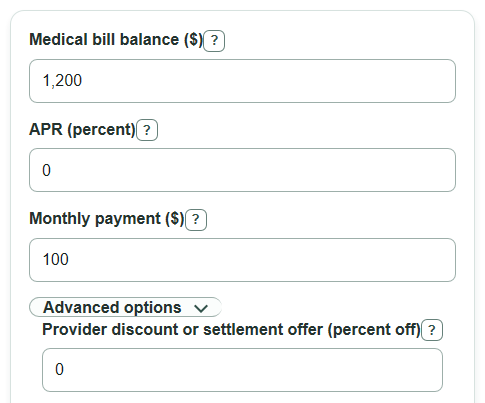
- Enter the Medical bill balance still owed before any new discount or settlement offer.
- Enter APR as the yearly interest rate; use 0 if the payment plan truly has no interest.
- Enter the Monthly payment you can afford, then open Advanced options if you want to compare a Provider discount or settlement offer and Cash available for a one-time payoff.
- Click Calculate and read the savings result first, then check the payoff months, total paid, interest, and cash gap or leftover cash.
- Sanity-check the answer: if APR is 0, total interest should be $0 and payoff months should be close to the balance divided by the monthly payment.
Definitions
Medical bill balance: The current amount still owed before any new discount or settlement offer.
APR: The yearly interest rate used to estimate monthly interest. Some medical payment plans are 0% APR, while medical financing products may charge interest [1][2].
Monthly payment: The planned regular payment toward the balance. The calculator allows the final payment to be smaller.
Provider discount or settlement offer: The percent off the bill that the provider or collector says it will accept for a one-time payoff or settlement.
Discounted one-time payoff amount: The bill balance after the entered percent-off offer.
Estimated savings with discounted payoff: The total paid with the monthly payoff path minus the discounted one-time payoff amount. Positive means the offer is cheaper; negative means it costs more under the entered numbers.
Common mistakes and quick fixes
Mistake: Entering the original hospital charge as Medical bill balance after insurance, adjustments, or past payments have already changed the amount owed.
Fix: Use the current unpaid Medical bill balance from the latest bill or portal.
Mistake: Leaving APR blank because the plan is interest-free.
Fix: Enter 0 for APR if the provider payment plan charges no interest.
Mistake: Entering a Monthly payment that is less than or equal to the first month's interest on an interest-bearing balance.
Fix: Raise the Monthly payment or lower the balance/APR; otherwise the calculator will show that the debt will not pay off.
Mistake: Typing the amount off instead of the percent off in Provider discount or settlement offer .
Fix: Enter the percent reduction, such as 25 for 25 percent off, not the dollar discount.
Mistake: Treating Cash left after discounted payoff as always good even when it is negative.
Fix: A negative Cash left after discounted payoff means that much more cash is needed to use the offer.
Limitations & Key Assumptions / Boundary Conditions
- The calculator uses the APR, balance, payment, discount, and cash amount you enter. It does not verify bills, insurance adjustments, charity care, legal rights, or whether a provider will accept an offer.
- APR is treated as a fixed yearly rate divided into 12 equal monthly rates. Real financing contracts can use different interest rules, fees, or promotional terms.
- The monthly payoff path assumes one payment per month and allows the final payment to be smaller than the regular monthly payment.
- If the monthly payment does not exceed the first month's interest, the balance will not pay off under these inputs, so payoff totals are not meaningful.
- The discount comparison assumes the discounted payoff is paid now in one lump sum. It does not model taxes, credit reporting effects, collection rules, or payment plan negotiation details.
- Negative savings and negative cash left are kept because they are useful: negative savings means the offer is more expensive than the monthly path, and negative cash left means more cash is needed.
Methodology
Monthly payoff math
The calculator first converts APR from a yearly percent to a monthly decimal rate.
monthly_rate = (apr_percent / 100) / 12
If APR is 0, the balance goes down by the monthly payment until a final smaller payment clears the rest.
months_to_payoff = ceil(bill_balance / monthly_payment)
If APR is above 0, the calculator checks whether the first month's interest is at least as large as the monthly payment. If it is, the balance will not pay off with that payment.
first_month_interest = bill_balance * monthly_rate
payment must be greater than first_month_interest
For a feasible interest-bearing payoff, the estimated number of months is found with the standard fixed-payment payoff formula, then the final month is allowed to be smaller than the regular payment.
months_to_payoff = ceil(log(monthly_payment / (monthly_payment - monthly_rate * bill_balance)) / log(1 + monthly_rate))
The monthly path adds interest each month, pays the smaller of the planned payment or the amount then owed, and stops when the balance reaches 0.
interest = balance * monthly_rate
balance_after_interest = balance + interest
payment_this_month = min(monthly_payment, balance_after_interest)
new_balance = balance_after_interest - payment_this_month
Discount comparison
The discounted payoff is based only on the percent-off offer entered by the user.
discounted_payoff_amount = bill_balance * (1 - discount_percent / 100)
Savings compares the standard monthly payoff cost with the one-time discounted payoff amount. The sign is kept.
amount_saved_with_offer = total_paid_standard - discounted_payoff_amount
Cash left compares the user's available cash with the discounted payoff amount. The sign is kept.
cash_left_after_offer = cash_available_now - discounted_payoff_amount
Mini-example
For a $2,000 balance, 12% APR, and a $200 monthly payment, the monthly rate is 0.01. The payoff takes 11 months because the last payment is smaller than $200. The standard monthly path pays about $2,117.97 total, including about $117.97 of interest. With a 20% provider discount, the discounted payoff amount is $1,600. Estimated savings are $2,117.97 - $1,600 = $517.97. If cash available now is $1,500, cash left after the offer is $1,500 - $1,600 = -$100, meaning $100 more cash would be needed.