
Find when your loan will be paid off, or calculate the monthly payment needed to reach a goal payoff date.
Advanced options
Table of contents
How to use our Loan Payoff Date Calculator
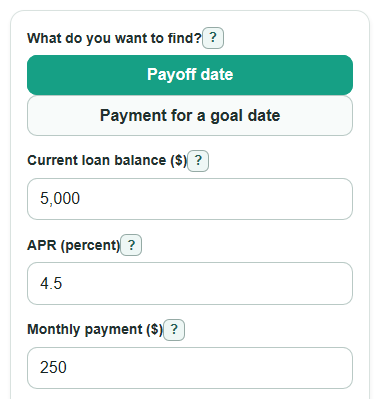
- Choose What do you want to find?: Payoff date if you know your Monthly payment ($), or Payment for a goal date if you know your Goal payoff date.
- Enter Current loan balance ($), Annual interest rate (percent), and Next payment date using the balance and rate your lender shows now.
- If you chose Payoff date, enter Monthly payment ($); if you chose Payment for a goal date, enter Goal payoff date instead.
- Open Advanced options only if you plan a One-time extra principal ($), then choose Apply one-time extra on payment number.
- After you calculate, sanity-check the result: Time to pay off should match the number of monthly payment dates, Total paid from now should be close to Current loan balance ($) plus Total interest from now, and Final payment is often smaller than the normal monthly payment.
Definitions
Current loan balance ($): The unpaid amount you owe now. It is not always the same as a lender payoff amount, which may include interest through a payoff date or fees [2].
Annual interest rate (percent): The contract annual rate used to charge interest, divided by 100 and 12 for this monthly estimate. Use the note rate, not a fee-inclusive APR.
Principal: The loan balance before interest is added for a payment period.
Monthly payment ($): The regular amount you plan to pay each month before any separate one-time extra principal payment.
Goal payoff date: The latest payment date when you want the balance to reach $0.
Next payment date: The first monthly payment date used in the calculation.
Final payment: The last payment needed to clear the remaining balance plus that month's interest. It is capped so you do not overpay in the model.
Common mistakes and quick fixes
Mistake: Using the original loan amount for Current loan balance ($).
Fix: Enter the current balance your lender shows today, because the calculator starts from that amount.
Mistake: Typing Annual interest rate (percent) as a decimal, such as 0.045 for 4.5%.
Fix: Enter the percent number, such as 4.5.
Mistake: Putting an extra amount into Monthly payment ($) and also into One-time extra principal ($).
Fix: Use Monthly payment ($) for the regular payment and One-time extra principal ($) only for the separate extra payment.
Mistake: Choosing a Goal payoff date before the Next payment date.
Fix: Pick a Goal payoff date on or after the Next payment date so at least one payment can be counted.
Mistake: Setting Apply one-time extra on payment number to 0 or a decimal when One-time extra principal ($) is more than $0.
Fix: Use a whole number of 1 or higher, where 1 means the extra is made with the next payment.
Mistake: Reading Total interest from now as lifetime interest already paid.
Fix: Treat Total interest from now as future interest only, starting with the modeled Next payment date.
Limitations & Key Assumptions / Boundary Conditions
- The calculator uses monthly amortization. Real lender payoff quotes can use daily interest, cut-off times, payoff statement fees, late fees, escrow items, or other charges.
- Annual interest rate (percent) is treated as a fixed yearly rate for the whole payoff period. Adjustable-rate loans, promotional rates, and changing rates can produce different results.
- Payments are modeled on monthly payment dates. If the same day does not exist in a later month, the calculator uses the last day of that month.
- One-time extra principal ($) is applied only on the selected payment number. It is ignored if the loan is already paid off before that payment number, and the note explains that case.
- Payment for a goal date mode rounds the needed Monthly payment ($) up to the nearest cent so cents rounding does not miss the target date.
- The model stops at 1200 months. Very long or non-reducing payoff plans are outside the supported range.
Methodology
Monthly interest
The calculator converts Annual interest rate (percent) to a monthly rate by dividing by 100 and then by 12.
monthly_rate = annual_apr / 100 / 12
Payoff date mode
For each monthly payment date, the calculator adds one month of interest, checks the cash available for that payment, and either pays the loan off or lowers the balance.
interest = balance * monthly_rate
cash_available = monthly_payment + one_time_extra_if_this_month
if cash_available >= balance + interest, final_payment = balance + interest
otherwise principal_paid = cash_available - interest
new_balance = balance - principal_paid
If cash available is not enough to cover that month's interest and the loan is not paid off by an immediate extra payment, the balance would not go down, so the calculator shows an error instead of a payoff date.
Payment for a goal date mode
The calculator first counts monthly payment dates from Next payment date through Goal payoff date, including both dates when they are payment dates.
target_payment_count = number of monthly payment dates on or before goal_payoff_date
It then searches for the smallest Monthly payment ($) that makes the same payoff loop finish within that count. The displayed payment is rounded up to the nearest cent.
needed_payment = smallest payment where payoff_months <= target_payment_count
Extra payment comparison
When One-time extra principal ($) is more than $0, the calculator runs the same payoff loop twice: once with the extra payment and once with no extra payment.
interest_saved = total_interest_without_one_time_extra - total_interest_with_one_time_extra
Mini-example
Suppose Current loan balance ($) is $5,000, Annual interest rate (percent) is 4.5, Monthly payment ($) is $250, Next payment date is 2026-07-01, and One-time extra principal ($) is $0. The monthly rate is 0.00375. The model pays the loan off in 21 payments, so the payoff date is 2028-03-01. Total interest from now is $207.24, Total paid from now is $5,207.24, and Final payment is $207.24.