
Enter an amount in MB to find its decimal GB value, or choose MiB to convert it to binary GiB.
This is the MB amount divided by 1,000. The decimal path uses 1,000 MB = 1 GB.
This is the MiB amount divided by 1,024. The binary path uses 1,024 MiB = 1 GiB.
Table of contents
How to use our MB to GB Converter
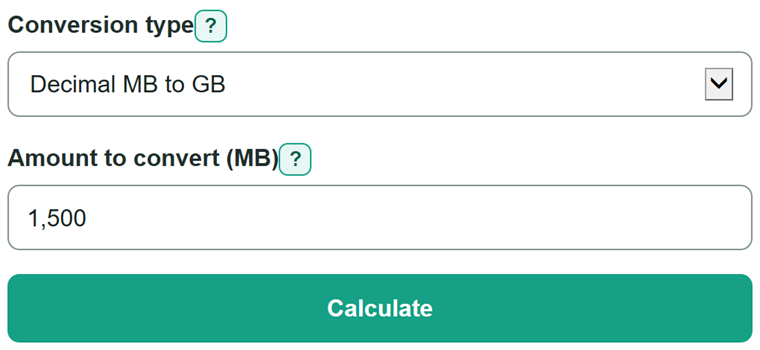
- Look at the unit beside the original number. Choose "Decimal MB to GB" for MB, or choose "Binary MiB to GiB" only when it says MiB.
- Enter the data amount from file details, storage settings, a download, cloud storage, or a data-usage screen.
- Click "Calculate" to get the converted amount with the matching unit: GB for the decimal path or GiB for the binary path.
- Check that the result unit matches your comparison: 1,500 MB equals 1.5 GB, while 2,048 MiB equals 2 GiB.
Definitions
MB (megabyte): A decimal data unit. In this converter, 1,000 MB equals 1 GB. [1]
GB (gigabyte): A decimal data unit equal to 1,000 MB. [1]
MiB (mebibyte): A binary data unit equal to 1,024 KiB (kibibytes), not 1,000 KB. [1]
GiB (gibibyte): A binary data unit equal to 1,024 MiB. [1]
MB/s: Megabytes per second. This is a transfer rate, not an amount of data.
Common mistakes and quick fixes
Mistake: Choosing the binary path for a number labeled MB.
Fix: Check Conversion type and then recalculate. Use "Decimal MB to GB" for MB. Choose the binary path only when the source specifically says MiB.
Mistake: Treating GB and GiB as interchangeable.
Fix: Check Conversion type and then recalculate. Keep the unit with the number when comparing storage or data limits. Decimal GB uses 1,000 MB; binary GiB uses 1,024 MiB.
Mistake: Entering a speed such as 25 MB/s.
Fix: Check Conversion type and then recalculate. Enter a stored data amount in MB or MiB. MB/s is a transfer speed and needs a time period before it can become an amount.
Mistake: Typing 1,01 to mean one point zero one.
Fix: Check Conversion type and then recalculate. Use a decimal point for fractions, such as 1.01. Use commas only for thousands, such as 1,500.
Mistake: Adding MB after a number in the MiB field.
Fix: Check Conversion type and then recalculate. Enter a plain number or the matching suffix, such as 2048 or 2048 MiB. Choose the decimal path for a value labeled MB.
Limitations & Key Assumptions / Boundary Conditions
- The decimal path converts only an amount labeled MB and returns GB using 1,000 MB per GB.
- The binary path converts only an amount labeled MiB and returns GiB using 1,024 MiB per GiB.
- The calculator converts a data amount only. It does not estimate download time, transfer speed, compression, usable disk space, or cloud-storage limits.
- Use the unit printed beside the source number. Do not choose a path based on the size of the number.
- Very long fractional entries may be shown in a rounded display format.
Methodology
Calculation
The selected path sets both the divisor and the result unit. Decimal prefixes use powers of 1,000, while binary prefixes use powers of 1,024. NIST distinguishes decimal SI prefixes from binary prefixes. [1]
GB = MB / 1000
GiB = MiB / 1024
Worked example
On the decimal path, 1,500 MB divided by 1,000 equals 1.5 GB. On the binary path, 1,536.5 MiB divided by 1,024 equals 1.50048828125 GiB.
Input handling
Zero and positive fractional amounts are valid. The calculator accepts conventional thousands commas, such as 1,500, and a matching unit suffix, such as 1,500 MB or 2,048 MiB. It rejects negative values, malformed commas, ranges, formulas, and a unit suffix that does not match the selected path.