
Convert kilometers to inches or inches to kilometers with exact unit math, clear rounding, and easy-to-read large numbers.
Advanced options
Table of contents
How to use our Kilometers to Inches Converter
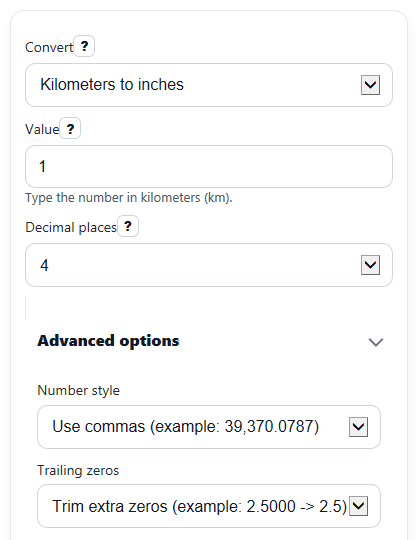
- Choose a direction in Convert: either Kilometers to inches or Inches to kilometers.
- Enter your starting number in Value.
- Pick how many digits to show in Decimal places, then calculate.
- Read Converted value first, then check Exact conversion rule and Why this works if you want to verify the setup.
- Use Quick reference values to sanity-check scale, especially when the inch result is very large.
Definitions
Convert: The direction of the unit change, either kilometers to inches or inches to kilometers.
Value: The starting amount you want to convert in the source unit shown by Convert.
Decimal places: How many digits appear to the right of the decimal point in Converted value.
Converted value: The main answer after applying the exact unit conversion and then the display rounding you chose.
Exact conversion rule: The multiply or divide step used for the selected direction.
Why this works: A unit chain that shows how kilometers, meters, and inches connect.
Kilometer (km): A metric length equal to 1,000 meters [2].
Inch (in): A length unit defined exactly as 0.0254 meter.
Common mistakes and quick fixes
Mistake: Leaving Value blank or pasting text that is not a real number.
Fix: Enter digits only in Value , such as 1, 2.5, or -0.5.
Mistake: Picking the wrong option in Convert and reading the answer in the wrong unit.
Fix: Check Convert before calculating so Converted value ends in the unit you expect.
Mistake: Thinking Decimal places changes the actual math.
Fix: Use Decimal places only for display rounding; the conversion factor itself stays the same.
Mistake: Being surprised that Converted value is huge when converting kilometers to inches.
Fix: Check Why this works to see the chain from kilometers to meters to inches, then compare with Quick reference values .
Mistake: Assuming a negative Value is always wrong.
Fix: Negative numbers are allowed; the sign stays the same in Converted value for signed changes or positions.
Limitations & Key Assumptions / Boundary Conditions
- This converter handles only two directions: kilometers to inches and inches to kilometers.
- Results depend on the entered Value being a real finite number. Blank, NaN, or Infinity inputs should return an error instead of a result.
- Decimal places changes only how the main answer is displayed. It does not change the exact factor used internally.
- Very large values can produce very long inch results. The page should format digits for readability, but the size of the number still reflects the unit scale.
- Negative values are allowed because unit conversion can describe signed change or position, even though physical distance is often written as non-negative.
- Quick reference examples are for speed and scale checking. They do not replace the exact result for your entered value.
Methodology
Conversion method
The calculator uses exact length relationships. For kilometers to inches, it changes kilometers to meters, then meters to inches. For inches to kilometers, it reverses that chain.
in = km * 1000 / 0.0254
km = in * 0.0254 / 1000
The constant 1000 means 1 kilometer equals 1000 meters [2]. The constant 0.0254 meter per inch is exact in standard conversion references [1]. From that, 1 kilometer equals 39370.07874015748 inches exactly, and 1 inch equals 0.0000254 kilometer exactly.
Worked example
If Convert is set to kilometers to inches and Value is 2.5, first convert to meters: 2.5 x 1000 = 2500 meters. Then convert meters to inches by dividing by 0.0254.
2.5 km = 2500 / 0.0254 = 98425.1968503937 in
If Decimal places is 4, the displayed Converted value becomes 98,425.1969 inches.
Display and rounding
The converter keeps full internal precision for the calculation, then rounds the main displayed answer to the selected number of decimal places. That means changing Decimal places affects presentation, not the underlying conversion rule.
Assumptions and calculation limits
This method assumes standard exact unit definitions and a valid finite numeric input. It does not estimate measurement uncertainty, and it does not correct for typing mistakes such as choosing the wrong direction or entering the wrong unit in Value.