
Enter a Kelvin temperature to get its Fahrenheit equivalent, with checked steps that account for the scales' different starting points.
This is the converted Fahrenheit temperature. Display rounding does not change the calculation.
Checked calculation steps
This applies the Kelvin zero-point offset before changing the interval size.
Adding 32 to this step gives the Fahrenheit answer above.
Table of contents
How to use our Kelvin to Fahrenheit Converter
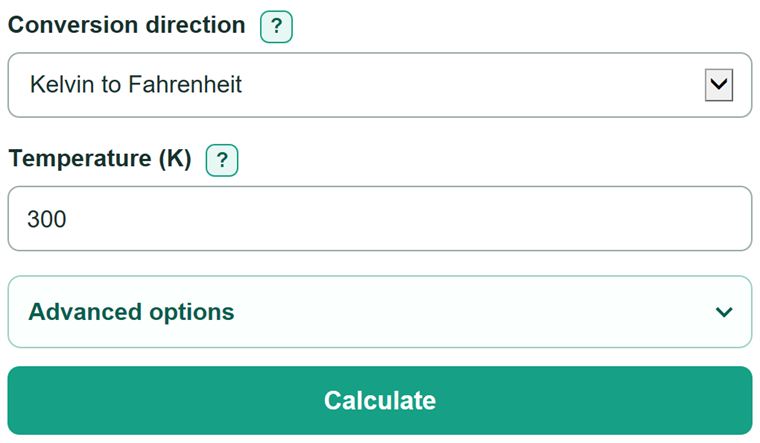
- Leave the direction set to Kelvin to Fahrenheit, then enter one value in Temperature (K), such as 300 or 300 K.
- Click Calculate to see the converted value in Temperature in Fahrenheit.
- Check the two displayed steps if you need to verify the math: subtracting 273.15 adjusts the zero point, then multiplying by 9/5 changes the interval size.
- For a reverse conversion, choose Fahrenheit to Kelvin and enter the source value in Temperature (deg F).
- Open Advanced options only to change the displayed decimal places or switch between regular and scientific notation; try 273.15 K to confirm that it converts to 32 deg F.
Definitions
Kelvin (K): An absolute temperature scale. Kelvin is written K, without a degree symbol, and 0 K is absolute zero.
Degrees Fahrenheit (deg F): A temperature scale with 32 deg F at the Celsius freezing point.
Temperature interval: A temperature difference between two values. A change of 1 K has the same size as a change of 1 degree Celsius.
Absolute zero: The lower limit of the Kelvin scale: 0 K, which equals -459.67 deg F.
Scientific notation: A compact number format for very large or small values, such as 1.23e6 for 1,230,000.
Common mistakes and quick fixes
Mistake: Entering a Kelvin value below 0.
Fix: Check Conversion direction and then recalculate. Enter 0 K or higher. Kelvin cannot be below absolute zero.
Mistake: Typing "300 F" in Temperature (K).
Fix: Enter a bare number or use K, such as "300" or "300 K".
Mistake: Multiplying the Kelvin value by 9/5 without adjusting the zero point.
Fix: Check Conversion direction and then recalculate. Subtract 273.15 before multiplying, then add 32 to get the Fahrenheit temperature.
Mistake: Using the Kelvin field after choosing the reverse direction.
Fix: Enter the source reading in Temperature (deg F), which appears for Fahrenheit-to-Kelvin conversion.
Mistake: Treating displayed rounding as a change in the conversion.
Fix: Increase Result decimal places when more displayed detail is needed; the calculation still uses the unrounded value.
Limitations & Key Assumptions / Boundary Conditions
- The converter accepts one finite decimal value, including scientific notation, with an optional matching unit suffix.
- It rejects Kelvin values below 0 K and Fahrenheit values below -459.67 deg F because either value would be below absolute zero.
- The conversion changes temperature scales only. It does not measure thermometer accuracy, calibration, uncertainty, or significant figures.
- Result decimal places and number format change the display only; they do not change the unrounded conversion.
- A small nonzero converted value can display as zero at a selected precision. The calculator discloses the unrounded value in that case.
Methodology
Conversion method
The calculation first adjusts for the different zero points, then changes the interval size. The Kelvin-to-Celsius offset is 273.15 K, and the Fahrenheit relationship uses a 9/5 interval ratio.
°F = (K - 273.15) x 9 / 5 + 32
For the reverse direction, the calculator removes 32 deg F, multiplies by 5/9, and adds 273.15 K.
K = (°F - 32) x 5 / 9 + 273.15
Worked example
For 300 K, subtract 273.15 to get 26.85. Multiply 26.85 by 9/5 to get 48.33 deg F as an interval. Add 32 to get 80.33 deg F. The answer and the displayed steps come from the same unrounded value.
Display choices
Number format and Result decimal places affect only how the answer is written. Auto format uses scientific notation for nonzero values smaller than 0.001 or values with an absolute value of at least 1,000,000,000. Other values use regular notation.