
Check a cage's usable bottom-level floor space against a selected guinea pig housing target and see any extra space needed.
Table of contents
How to use our Guinea Pig Cage Size and Floor Space Calculator
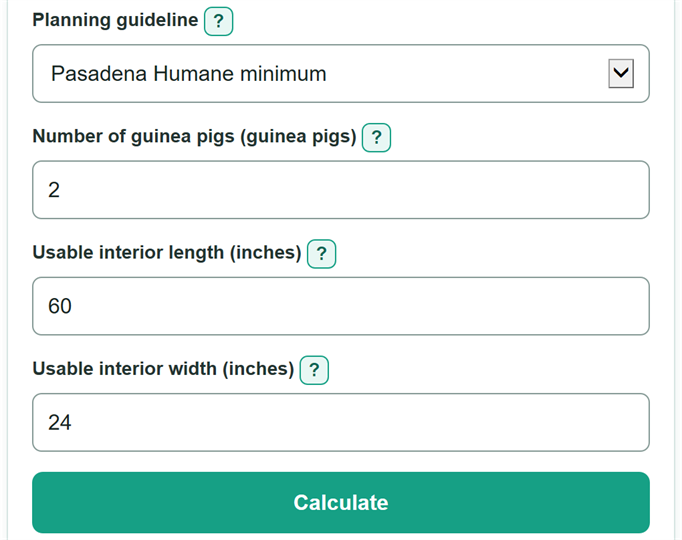
- Choose Planning guideline. Use the Pasadena Humane preset or choose My own floor-space target if you have a requirement from a rescue or veterinarian.
- For the Pasadena preset, enter the Number of guinea pigs that will share the cage. For your own target, enter Your floor-space target in square feet.
- Measure the clear inside bottom of the cage and enter Usable interior length and Usable interior width in inches.
- Calculate, then check Cage floor-space margin. A positive number or zero meets the selected target; a negative number is the missing floor space.
- Sanity-check the result by confirming that the measured cage floor space excludes outside walls, ramps, shelves, upper levels, and cage height.
Definitions
Planning guideline: The rule used to set the floor-space target. The calculator can use the Pasadena Humane minimum or a target you enter yourself.
Pasadena Humane minimum: A built-in planning rule of 7.5 sq ft for up to two guinea pigs, plus 3 sq ft for each additional guinea pig. [1]
Usable interior length and width: The clear inside bottom measurements of the cage, in inches. Outside walls and blocked areas do not count.
Selected floor-space target: The square-foot amount the cage is checked against.
Measured cage floor space: The rectangular usable bottom area, calculated from interior length times interior width.
Cage floor-space margin: Measured cage floor space minus the selected target. A negative margin is the amount of floor space still needed.
Common mistakes and quick fixes
Mistake: Entering the product box dimensions instead of Usable interior length and Usable interior width.
Fix: Use the clear inside bottom dimensions from a tape measure or the manufacturer's interior measurements.
Mistake: Counting a ramp, shelf, loft, or cage height in Measured cage floor space.
Fix: Enter only the rectangular bottom-level footprint where the guinea pigs can move.
Mistake: Using a partial value for Number of guinea pigs, such as 2.5.
Fix: Enter the whole number of guinea pigs that will live in the cage.
Mistake: Assuming the Pasadena preset is the rule required by every rescue.
Fix: Check Planning guideline and then recalculate. Choose My own floor-space target and enter the target from your rescue, adoption agreement, or veterinarian when it differs.
Mistake: Reading a negative Cage floor-space margin as a passing result.
Fix: A negative value is a shortfall. Compare the needed dimensions in Minimum length at the current width and Minimum width at the current length.
Limitations & Key Assumptions / Boundary Conditions
- This is a rectangular bottom-level area check. It does not count cage height, ramps, shelves, lofts, or upper levels.
- A cage can meet an area target and still have a poor layout. This calculator does not assess hiding places, food and water placement, bedding depth, ventilation, cleaning, enrichment, or animal compatibility.
- The Pasadena Humane minimum is one planning guideline, not a universal legal, rescue, or veterinary rule. A local rescue or veterinarian may require a different target.
- The minimum length and width results hold one entered dimension constant. They do not judge whether a very long, narrow footprint is a practical cage layout.
- Use actual usable interior dimensions. Product marketing dimensions may describe the outside of the cage instead.
Methodology
How the target is chosen
With the Pasadena Humane preset, the target is 7.5 sq ft for up to two guinea pigs. The calculator adds 3 sq ft for every guinea pig above two. [1]
extra_pigs = max(number_of_guinea_pigs - 2, 0)
target_sq_ft = 7.5 + 3 * extra_pigs
With My own floor-space target, the entered target replaces the preset. The hidden input from the other mode is not used.
How cage space is checked
The calculator multiplies usable interior length by usable interior width. It divides by 144 because one square foot equals 144 square inches.
measured_space_sq_ft = usable_length_in * usable_width_in / 144
margin_sq_ft = measured_space_sq_ft - target_sq_ft
A positive margin is extra floor space. A negative margin is a shortfall and remains negative so the amount needed is clear.
Needed dimensions
The calculator also solves for the interior length needed at the entered width, and the interior width needed at the entered length.
needed_length_in = target_sq_ft * 144 / usable_width_in
needed_width_in = target_sq_ft * 144 / usable_length_in
Worked example
For two guinea pigs using the Pasadena preset, a 60 by 24 inch usable bottom is 1,440 square inches, or 10 sq ft. The target is 7.5 sq ft, so the cage floor-space margin is +2.5 sq ft. At 24 inches wide, the target length is 45 inches.