
Enter your gravel area and depth to estimate cubic yards, approximate US tons, and the supplier quantity and cost you may need to order.
Advanced options
Material planning
Supplier price and delivery
Table of contents
How to use our Gravel Calculator
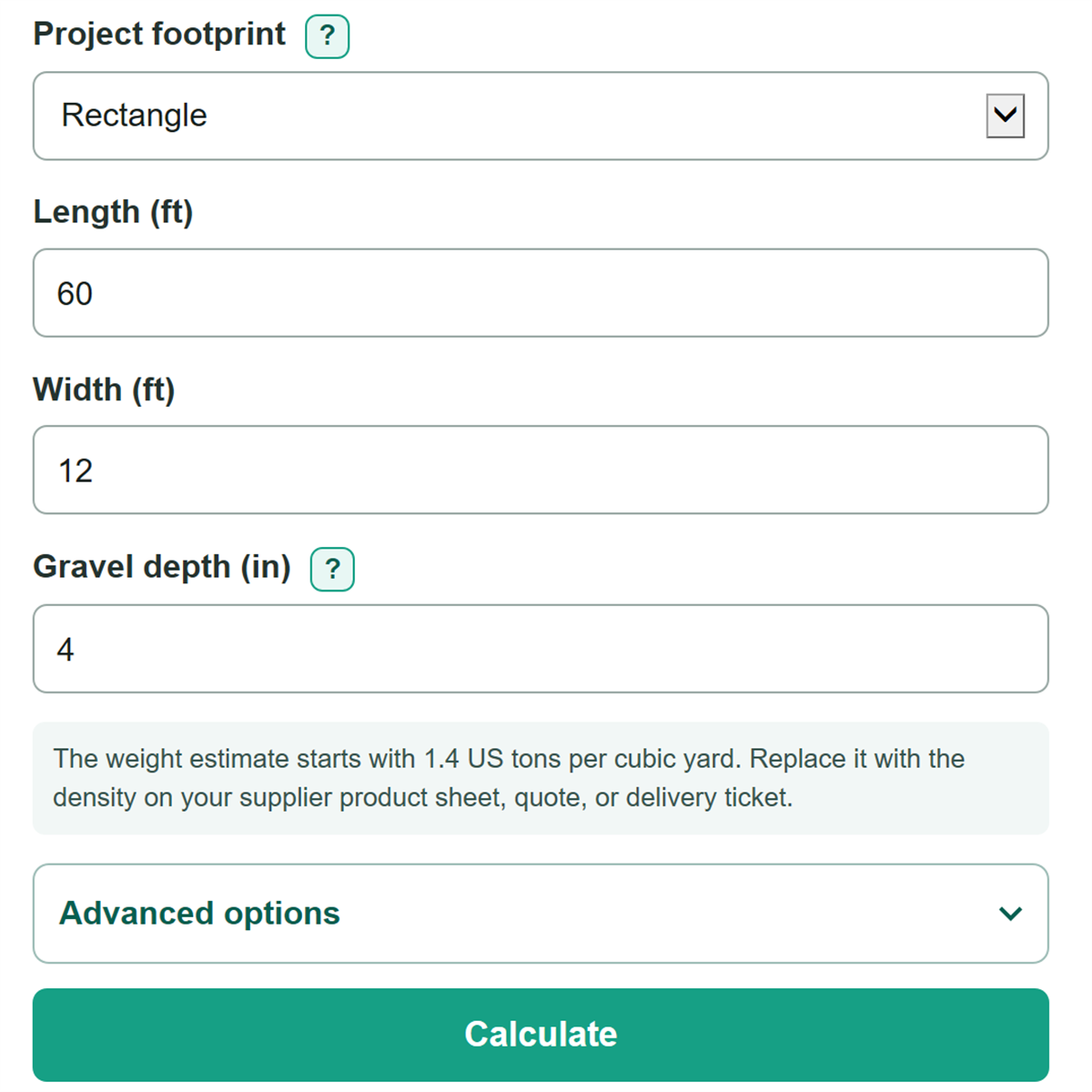
- Choose the project footprint that matches the space: Rectangle, Circle, or Known area.
- Enter the active footprint measurement in feet or square feet, then enter the planned gravel depth in inches.
- Open Advanced options and check Material density (tons per cu yd). Replace the planning value with the density from your supplier's quote, product sheet, or delivery ticket when available.
- Add extra material, material price, and supplier delivery terms only when you have those project or quote details, then select Calculate.
- Check that Calculated project area matches your measured space. Before ordering, compare Approximate gravel weight with Order quantity after supplier minimum.
Definitions
Project footprint: The ground area that will be covered with gravel. Choose a rectangle, circle, or a known total area.
Cubic yard (cu yd): A measure of volume equal to 27 cubic feet. [1]
Material density (tons per cu yd): The estimated number of US tons in one cubic yard of a particular gravel product. The calculator uses it to turn volume into approximate weight.
Extra material: A percentage added to the calculated volume for conditions such as uneven edges, compaction, or handling loss.
Supplier delivery minimum: The smallest quantity, in US tons, that a supplier will deliver. It can be greater than the amount needed for the project.
Delivery fee: A fixed charge from the supplier that is added separately from the material price.
Diameter: The full distance across a circle through its center. The radius is half the diameter and is used to calculate circle area. [1]
Common mistakes and quick fixes
Mistake: Entering a depth in feet even though Gravel depth is in inches.
Fix: Enter inches. For a 4-inch layer, enter 4, not 0.33.
Mistake: Using rectangle measurements for a round bed.
Fix: Check Project footprint and then recalculate. Choose Circle and enter the full diameter, measured straight across the center.
Mistake: Treating the density as the exact weight of every gravel product.
Fix: Check Project footprint and then recalculate. Use the density for the specific product from the supplier whenever possible. Density can change with the material and its condition.
Mistake: Entering a per-cubic-yard quote while the price basis says Per US ton.
Fix: Set Supplier price is for to the unit shown on the quote before entering the material price.
Mistake: Entering only a supplier delivery minimum or only a delivery fee.
Fix: Check Project footprint and then recalculate. Enter both values from the supplier quote, or clear both fields if you only need the project quantity.
Mistake: Treating Estimated material cost as the full project bill.
Fix: Add the delivery fee to see Estimated delivered total, and budget separately for tax, labor, excavation, base material, and site work.
Limitations & Key Assumptions / Boundary Conditions
- Results are planning estimates, not a scale ticket. Actual delivered weight can differ because gravel type, particle size, moisture, compaction, and supplier measurement practices affect density.
- The calculation assumes one even gravel depth across the entered area. Slopes, low spots, soft ground, and uneven excavation can require more material.
- A supplier delivery minimum changes the quantity you can order, not the physical amount needed to cover the project.
- Estimated material cost appears only after a material price is entered. Estimated delivered total includes only the entered delivery fee and excludes tax, labor, grading, excavation, sub-base, fabric, permits, and other charges.
- For an irregular space, enter a reliable total area from a plan, measured map, or separately calculated sections.
Methodology
Area and volume
The calculator first finds the project area in square feet. Rectangle mode multiplies length by width. Circle mode uses the diameter to find the radius, then calculates the area inside the circle. Known area mode uses the entered area directly. [1]
rectangle area (sq ft) = length (ft) x width (ft)
circle area (sq ft) = π x (diameter (ft) / 2) x (diameter (ft) / 2)
It converts depth from inches to feet, multiplies area by depth to get cubic feet, then divides by 27 to get cubic yards. [1]
base volume (cu yd) = area (sq ft) x (depth (in) / 12) / 27
gravel volume (cu yd) = base volume x (1 + extra material / 100)
Weight and supplier quantity
The calculator multiplies the planned volume by Material density (tons per cu yd) to estimate weight. If you enter a Supplier delivery minimum, the order quantity is the larger of the estimated weight and that minimum.
approximate gravel weight (US tons) = gravel volume (cu yd) x material density (tons per cu yd)
order quantity (US tons) = greater of estimated tons or supplier delivery minimum
material above project estimate (US tons) = order quantity - estimated tons
Price calculation
For a per-ton quote, the calculator multiplies the order quantity by the material price. For a per-cubic-yard quote, it first divides the order quantity by density to find the purchased cubic yards. The entered delivery fee is added separately.
estimated delivered total = estimated material cost + delivery fee
Worked example
A 60 ft by 12 ft rectangle has an area of 720 sq ft. At 4 inches deep with 10% extra material, the planned volume is 9.78 cu yd. At 1.4 tons per cu yd, the estimated weight is 13.69 US tons. A 15-US-ton delivery minimum creates 1.31 extra tons. At $42 per US ton plus a $125 delivery fee, the estimated delivered total is $755.00.
Calculation details
Calculations use unrounded values before showing cubic yards, US tons, and money to two decimal places. A blank extra-material field counts as 0%. A blank material price does not create a cost estimate, and entering either supplier delivery field requires the other field too.