
Enter a measurement, choose compatible starting and target units, and see the converted value plus a factor-label chain that shows the units cancel.
Advanced options
Table of contents
How to use our Dimensional Analysis Calculator
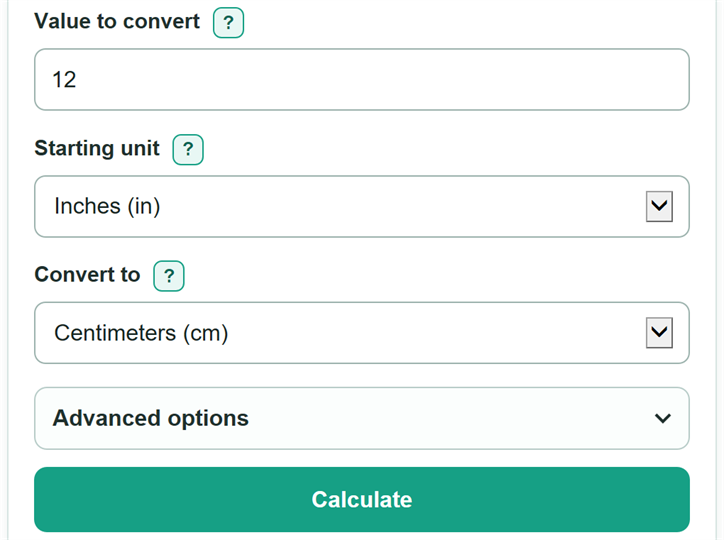
- Enter the number in "Value to convert." You may include a matching unit suffix, such as "12 ft," if that helps you check your entry.
- Choose "Starting unit" to match the unit printed beside the measurement.
- Choose "Convert to" to match the unit requested by the problem, label, recipe, or report.
- Select "Calculate." Read the converted value first, then check "How the units cancel" to make sure the starting unit cancels and the requested unit remains.
- For a required rounding level, open "Advanced options" and change "Result decimal places." This changes only the displayed rounding, not the conversion.
Definitions
Dimensional analysis: A method that uses conversion factors arranged so unwanted units cancel and the requested unit remains.
Conversion factor: A ratio equal to 1, such as 2.54 cm / 1 in. Both parts name the same physical length in different units.
Compatible units: Units that measure the same kind of quantity. Centimeters and feet are compatible length units; centimeters and kilograms are not.
Conversion multiplier: The number of target units in one starting unit. Multiply the entered value by this number to get the converted value.
Area unit: A squared unit, such as ft^2 or m^2. The complete linear conversion factor must be squared when converting area.
Compound unit: A unit with a numerator and denominator, such as mi/hr. Both parts must be converted so unwanted units cancel.
US liquid volume: The US customary volume system used for the teaspoon through gallon choices. It differs from Imperial volume units.
Common mistakes and quick fixes
Mistake: Choosing feet as the starting unit and kilograms as the target unit.
Fix: Choose units for the same kind of quantity, such as length to length or mass to mass.
Mistake: Typing a suffix that disagrees with "Starting unit," such as "12 kg" while feet is selected.
Fix: Remove the suffix or select the starting unit that matches it.
Mistake: Using the feet conversion factor for square feet.
Fix: Select a square-unit choice. The full length factor must be squared for area.
Mistake: Changing miles in mi/hr but forgetting to change hours.
Fix: Select a speed unit and inspect the cancellation chain, which converts both the distance and time parts.
Mistake: Entering commas as "1,01" or "1,,2."
Fix: Use commas only for thousands, such as "1,000.5," and use a period for the decimal point.
Mistake: Rounding before the conversion is finished.
Fix: Enter the most accurate source value available and round only the final displayed value when your instructions require it.
Limitations & Key Assumptions / Boundary Conditions
- The calculator converts only its listed length, area, volume, mass, time, speed, and density units.
- Starting and target units must measure the same dimension. It cannot directly convert length to mass, or convert unsupported quantities such as temperature, force, or energy.
- Volume choices from teaspoon through gallon are US liquid units, not Imperial units. Check the source when it says only "pint," "quart," or "gallon."
- Zero is valid, and a negative input stays negative, although a negative measurement may not make physical sense in every situation.
- Low display precision can round a very small nonzero value to zero. Increase "Result decimal places" to see more digits.
- The factor-label chain is an instructional representation of the selected conversion. Apply the significant-figure or rounding rule required by your class, lab, or report.
Methodology
Conversion calculation
The calculator first checks that the selected units measure the same dimension. Each supported unit is stored as a scale in a base unit: meters for length, square meters for area, cubic meters for volume, kilograms for mass, seconds for time, meters per second for speed, and kilograms per cubic meter for density. The unit relationships use recognized SI and customary conversion relationships. [1]
converted value = entered value x source scale / target scale
conversion multiplier = source scale / target scale
For example, 12 inches converts to centimeters because 1 in equals 2.54 cm.
12 in x (2.54 cm / 1 in) = 30.48 cm
The in unit appears once in the numerator and once in the denominator, so it cancels. Centimeters are left as the answer unit. The factor is placed this way so the unit being replaced cancels. [2]
Powered and compound units
For area, the calculator squares the entire linear factor. For volume, it cubes the entire linear factor.
1 ft^2 x (0.3048 m / 1 ft)^2 = 0.09290304 m^2
For compound units such as speed, it converts the numerator and denominator separately.
60 mi/hr x (1609.344 m / 1 mi) x (1 hr / 3600 s) = 26.8224 m/s
Rounding and checks
Calculations keep the unrounded value. "Result decimal places" changes only the displayed value. The calculator accepts zero, preserves a negative sign, and stops if the units are incompatible, comma grouping is malformed, a typed suffix conflicts with the selected starting unit, or a calculation is not finite.