
Enter a measurement, choose the starting and destination units, and calculate the equivalent value with checks for important unit differences.
Table of contents
How to use our Conversion Calculator
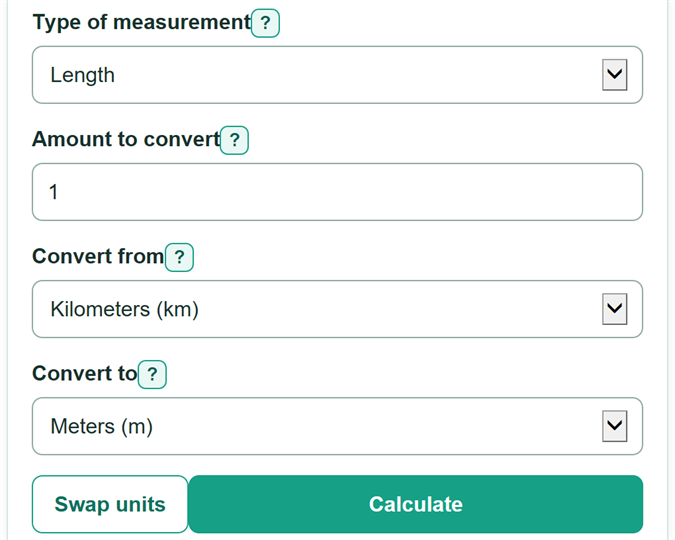
- Choose the "Type of measurement" that matches the number you have, such as length, volume, temperature, or digital data.
- Enter the "Amount to convert" from your recipe, worksheet, label, or specification. You can include the matching source-unit suffix, such as "2.5 ft".
- Choose the unit on the original number in "Convert from," then choose the requested unit in "Convert to."
- Select "Calculate" to see the converted amount, followed by a compatibility check and the relationship between one source unit and the destination unit.
- Check that the destination unit answers the question and that you selected the intended convention, especially for US versus imperial gallons and GB versus GiB.
Definitions
Source unit: The unit attached to the amount you start with.
Destination unit: The unit you want the amount expressed in.
Conversion factor: A number used to convert between units that measure the same kind of quantity.
Temperature offset: A fixed value needed because Celsius, Fahrenheit, and Kelvin have different zero points.
US gallon: A US liquid-volume unit that is different from an imperial gallon.
GB and GiB: GB uses decimal powers of 1000 bytes. GiB uses binary powers of 1024 bytes.
Common mistakes and quick fixes
Mistake: Choosing a unit type that does not match the original measurement.
Fix: Choose "Type of measurement" first, then select both units from that type.
Mistake: Typing 1,01 to mean one point zero one.
Fix: Enter 1.01. Commas are only for thousands separators, such as 1,000.
Mistake: Treating US gallons and imperial gallons as the same unit.
Fix: Match the gallon named by the source. They are different volumes.
Mistake: Treating GB and GiB as interchangeable storage units.
Fix: Use GB for decimal groups of 1000 bytes and GiB for binary groups of 1024 bytes.
Mistake: Rounding before using the converted value in later math.
Fix: Keep the displayed digits for the next calculation and round only the final answer when your task calls for rounding.
Limitations & Key Assumptions / Boundary Conditions
- Only units listed under the selected "Type of measurement" can be converted; the calculator does not convert between different quantities such as pounds and liters.
- Non-temperature amounts must be zero or positive. Celsius and Fahrenheit values may be negative only when they are not below absolute zero.
- Recipe volume choices use listed US liquid units. Cups and spoons used in other countries can have different sizes.
- Digital storage labels may use decimal units such as GB or binary units such as GiB. Check the convention used by the device, software, or source document.
- A unit conversion does not check measurement accuracy. The precision of the original instrument, label, or rounded source value can limit the useful precision of the answer.
Methodology
Calculation method
For length, area, volume, mass, time, speed, pressure, energy, and digital data, the calculator changes the entered amount into a base unit for that category, then changes that base amount into the destination unit. Area and volume use their own stored factors, so they are not treated as linear length conversions. SI unit relationships follow standard unit guidance. [1]
converted value = amount x source factor / destination factor
Temperature method
Temperature uses offsets because its scales begin at different zero points. The calculator first converts the source temperature to kelvin, rejects a value below 0 K, and then converts kelvin to the destination scale.
temperature in K = (amount + source offset) x source scale
converted value = temperature in K / destination scale - destination offset
Worked example
For 2.5 feet to inches, 1 foot equals 0.3048 meters and 1 inch equals 0.0254 meters. Dividing the two factors gives 12 inches per foot, so 2.5 feet equals 30 inches.
2.5 x 0.3048 / 0.0254 = 30
Displayed values
The calculator keeps the unrounded calculation value before formatting the answer. Very small nonzero answers use decimal or scientific notation so they do not appear as zero. Temperature relationships show an offset formula because one fixed multiplier would be incorrect.