
Convert area from ares to hectares fast, with square meters and square kilometers shown too for an easy reality check.
Advanced options
How to use our Ares to Hectares Converter Calculator
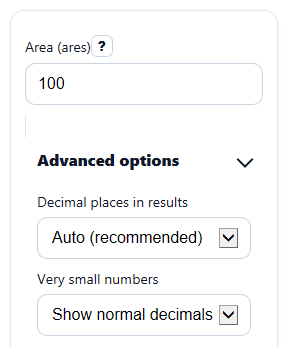
- Enter your value in Area (ares). You can use a whole number, a decimal, or a large value with commas.
- If you want, open Advanced options and choose Decimal places in results and how Very small numbers should appear.
- Click Calculate to see Area in hectares first, then the same area in square meters and square kilometers.
- Use Quick check to sanity-check the answer: 100 ares should equal 1 hectare, so 50 ares should equal 0.5 hectares.
Definitions
Are (a): A metric unit of area equal to 100 square meters.
Hectare (ha): A metric unit of area equal to 100 ares, or 10,000 square meters [1].
Square meter (m2): The base metric area unit used as a useful cross-check.
Square kilometer (km2): A very large metric area unit equal to 100 hectares.
Decimal places in results: How many digits appear after the decimal point in the results.
Very small numbers: A display choice for tiny nonzero results so they do not look like zero by mistake.
Common mistakes and quick fixes
Mistake: Leaving Area (ares) blank and expecting a result.
Fix: Enter a number in Area (ares) , such as 100 or 2.5.
Mistake: Typing words like "ten" into Area (ares) .
Fix: Use digits only in Area (ares) . Decimals are fine, like 10.5.
Mistake: Entering a negative number in Area (ares) .
Fix: Use 0 or a larger value, because this converter expects a real area size.
Mistake: Reading Area in hectares as if it were square meters.
Fix: Check the unit on each result card. Area in hectares , Area in square meters , and Area in square kilometers are different units for the same area.
Mistake: Thinking a small Area in square kilometers means the calculation is wrong.
Fix: Remember that square kilometers are very large units, so Area in square kilometers will often be a small decimal.
Mistake: Forgetting to adjust Decimal places in results when you want more detail.
Fix: Open Advanced options and increase Decimal places in results if the answer looks too rounded.
Limitations & Key Assumptions / Boundary Conditions
- This converter only handles area values entered in ares. If your starting value is in another unit, convert that unit to ares first.
- Input must be a number that is 0 or more. Blank entries, text, and negative values are treated as errors.
- Results may be rounded for display based on the selected decimal setting, even though the internal conversion is straightforward.
- Very small nonzero values in Area in square kilometers can look like 0 if you choose too few decimals, so use more decimals or the small-number display option when needed.
- This is a pure unit conversion. It does not account for surveying methods, map projections, land records, or any legal definition used in a local property document.
Methodology
Conversion method
The calculator uses exact metric unit relationships. The main step is converting ares to hectares by dividing by 100, because 1 hectare equals 100 ares [1]. It also shows the same area in square meters and square kilometers for a quick reasonableness check.
hectares = ares / 100
square_meters = ares * 100
square_kilometers = ares / 10000
Worked example
If Area (ares) is 250, then:
hectares = 250 / 100 = 2.5 ha
square_meters = 250 * 100 = 25,000 m2
square_kilometers = 250 / 10000 = 0.025 km2
This means 250 ares is the same area written in three different metric units.
Formatting and checks
The tool strips spaces and commas before reading the number, so an entry like 12,345.67 is handled correctly. It can also show extra decimal places or a small-number display style when a true nonzero result would otherwise look like 0 after rounding.
Assumptions
The calculator assumes the input is a valid nonnegative area measured in ares. It does not estimate, measure, or verify land size; it only converts one metric area unit into others.