
Add speaker transformer taps by channel, include extra amplifier room, and check the minimum 70V or 100V amplifier output.
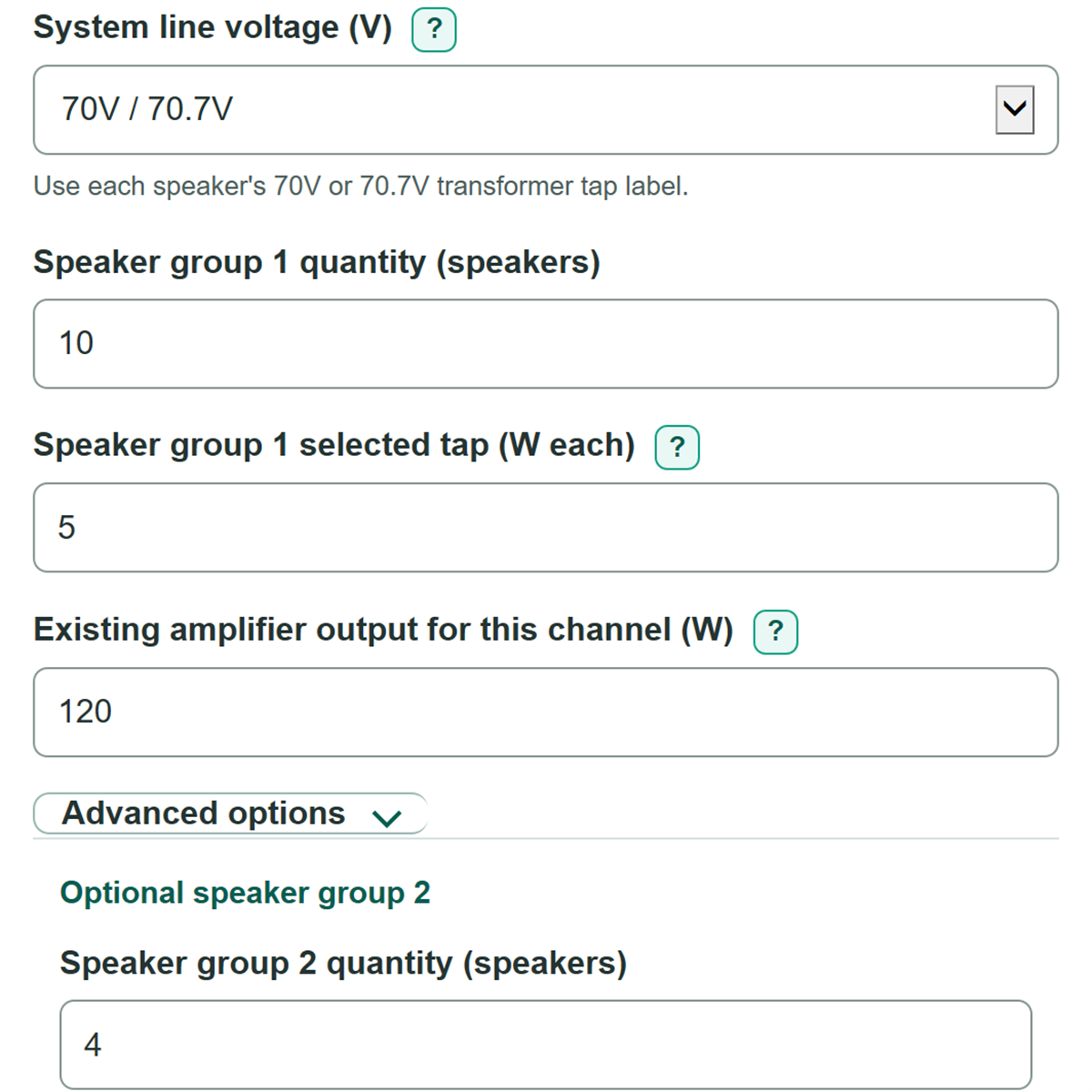
Use each speaker's 70V or 70.7V transformer tap label.
Advanced options
Optional speaker group 2
Optional speaker group 3
Sizing and display
The recommendation includes 20% extra amplifier room. Change this planning choice in Advanced options if your project uses another value.
Table of contents
How to use our 70V and 100V Speaker Tap Load and Amplifier Size Calculator
- Choose System line voltage from the amplifier channel label. Copy tap watts from the matching 70V/70.7V or 100V transformer label.
- Enter Speaker group 1 quantity and Speaker group 1 selected tap for speakers using the same tap setting.
- Enter Existing amplifier output for this channel, using its rated constant-voltage output rather than its 8 ohm or whole-chassis rating.
- Open Advanced options only if you need speaker groups with different tap settings or want to change Extra amplifier room (percent of tap load).
- Click Calculate. Check that the configured speaker tap load and group subtotals match your schedule, then choose a channel rated at or above the recommended minimum output.
Definitions
Constant-voltage speaker system: A distributed-audio system in which speakers use transformers and their selected tap watts are added to plan one amplifier channel. Common labels include 70V/70.7V and 100V. [1]
Transformer tap: The watt setting selected on a speaker transformer for the chosen system line voltage. It is not the speaker driver's maximum power rating.
Configured speaker tap load: The sum of each active speaker group's quantity multiplied by its selected tap in watts.
Extra amplifier room: Extra watts added above the configured tap load to produce a planning-size amplifier recommendation.
Amplifier loading: Configured speaker tap load divided by the entered amplifier channel rating, shown as a percent. More than 100% means the tap load alone is above that rating.
Unused or missing amplifier output: Entered amplifier channel watts minus configured speaker tap load. A negative number means the channel is overloaded by the tap schedule.
Common mistakes and quick fixes
Mistake: Entering a speaker driver's maximum power instead of Speaker group 1 selected tap.
Fix: Copy the transformer switch or label setting in watts for each speaker group.
Mistake: Using a 70V tap value after choosing 100V under System line voltage.
Fix: Check every transformer label again and enter the tap watts printed for the selected line voltage.
Mistake: Entering the amplifier's total chassis power in Existing amplifier output for this channel.
Fix: Use the rated 70V/70.7V or 100V watts available to this one channel or zone.
Mistake: Filling in Speaker group 2 quantity but leaving Speaker group 2 selected tap (W each) blank.
Fix: Enter both values for an extra group, or clear both fields when that group is not used.
Mistake: Treating Extra amplifier room (percent of tap load) as a required code percentage.
Fix: Use the project or manufacturer requirement when one exists; otherwise treat the prefilled 20% as an editable planning choice.
Limitations & Key Assumptions / Boundary Conditions
- This calculation covers one amplifier channel or zone at a time. Unused watts on another channel do not count unless the equipment documentation specifically allows capacity sharing.
- It uses selected transformer tap ratings as a design load. It does not measure changing music, speech, or paging power.
- The recommended minimum amplifier output is the tap total plus the entered extra amplifier room. The default 20% is a planning example, not a universal code or manufacturer requirement.
- It does not calculate cable voltage loss, wire gauge, run length, transformer insertion loss, audibility, acoustic coverage, emergency-system requirements, or battery backup.
- Confirm that the amplifier supports the selected 70V/70.7V or 100V line voltage and that every entered tap comes from the matching transformer label.
- A passing wattage check does not confirm compatibility with speaker impedance, amplifier features, zoning hardware, or local electrical and life-safety rules.
Methodology
Calculation method
For each active speaker group, the calculator multiplies the speaker count by the selected transformer tap. Blank speaker groups 2 and 3 add zero watts; a partially filled group is an error.
group_load_w = speaker_quantity * selected_tap_w
It adds the active group subtotals to get the configured load for the one amplifier channel.
total_tap_load_w = group1_load_w + group2_load_w + group3_load_w
Extra amplifier room is calculated from the configured load, not from the amplifier rating.
reserve_w = total_tap_load_w * reserve_percent / 100
recommended_min_amp_w = total_tap_load_w + reserve_w
The existing-amplifier check passes only when its entered channel rating is at least the recommended minimum.
amplifier_remaining_w = amplifier_rating_w - total_tap_load_w
amplifier_loading_percent = 100 * total_tap_load_w / amplifier_rating_w
Worked example
Ten speakers set to 5 W each create a 50 W configured speaker tap load. With 20% extra amplifier room, the added room is 10 W and the recommended minimum amplifier output is 60 W. An entered 75 W channel passes the recommendation, has 25 W left above the tap load, and is loaded to about 66.67%.
Scope and calculation choices
The line-voltage choice does not multiply the watts. It reminds you to copy tap values from the matching 70V/70.7V or 100V transformer label, because a transformer can list different taps for each system. Constant-voltage speaker loads are planned by adding selected transformer tap wattages. [1] The calculator keeps negative remaining watts and percentages when the entered channel is overloaded, rather than changing them to zero.