
Calculate your fixed mortgage principal and interest payment, total interest, payoff time, and one payment's principal-versus-interest split.
Advanced options
Table of contents
How to use our Mortgage Principal and Interest Calculator
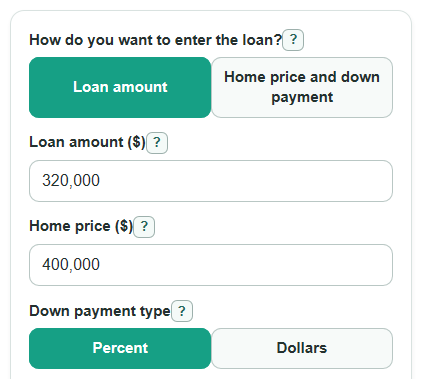
- Choose How do you want to enter the loan?: Loan amount if you know the amount borrowed, or Home price and down payment if you want the calculator to subtract your down payment.
- Enter Loan amount ($), or enter Home price ($), Down payment type, and Down payment, then enter Interest rate (percent per year).
- Choose Loan term (years). If you choose Custom years, fill in Custom loan term (years) with the actual scheduled loan length.
- Open Advanced options only if you want to add Extra principal each month ($) or check a specific Payment number to check, such as 1, 12, or 120.
- Click Calculate, then sanity-check the result: Monthly principal and interest payment should not include taxes, insurance, PMI, HOA dues, or escrow, and Interest in the checked payment should usually be larger near the start of a fixed-rate loan.
Definitions
Principal: The loan balance you borrowed and still owe. Paying principal lowers the balance.
Interest: The cost charged by the lender for borrowing money. Each monthly mortgage payment has an interest part and a principal part [2].
Monthly principal and interest payment: The regular fixed loan payment before property taxes, homeowners insurance, mortgage insurance, HOA dues, or escrow items [1].
Down payment: Money paid up front toward the home price. In home price mode, Loan amount used equals Home price ($) minus Down payment.
Loan term: The scheduled length of the mortgage. A 30-year term has 360 monthly payments because there are 12 months per year.
Extra principal: Extra money paid directly toward the balance in addition to the regular principal and interest payment.
Payment number to check: The month number you want to inspect, such as payment 1 for the first payment or payment 12 for the last payment of year 1.
Amortization: The month-by-month process where each payment pays interest first and the rest lowers the principal balance.
Common mistakes and quick fixes
Mistake: Entering the full purchase price in Loan amount ($) when you are financing less than the price.
Fix: Use the amount you will borrow in Loan amount ($), or switch How do you want to enter the loan? to Home price and down payment.
Mistake: Typing 0.065 in Interest rate (percent per year) for a 6.5 percent rate.
Fix: Enter 6.5 in Interest rate (percent per year); the calculator converts percent to a monthly decimal rate.
Mistake: Choosing Percent in Down payment type but entering a dollar amount in Down payment.
Fix: If Down payment type is Percent, enter a number like 20; if you have a dollar amount, choose Dollars first.
Mistake: Choosing Custom years in Loan term (years) and leaving Custom loan term (years) at the wrong value.
Fix: Enter the exact scheduled term in Custom loan term (years), such as 18 or 27.5, before calculating.
Mistake: Putting taxes, insurance, PMI, or HOA dues into Extra principal each month ($).
Fix: Use Extra principal each month ($) only for extra money that directly lowers the loan balance.
Mistake: Entering a Payment number to check that is after the loan is already paid off with extra payments.
Fix: Use a Payment number to check that is between 1 and the Months until payoff with extra payment.
Limitations & Key Assumptions / Boundary Conditions
- This calculator is for fixed-rate mortgages with monthly payments. It does not handle adjustable-rate changes, interest-only periods, biweekly payments, or balloon payments.
- Results include principal and interest only. They exclude property taxes, homeowners insurance, PMI, HOA dues, escrow deposits, closing costs, points, and lender fees.
- The monthly payment uses the scheduled loan term. Extra principal changes payoff time and total interest, but it does not recast the regular payment.
- Dollar results are rounded to cents for display. Internal math keeps more precision until the final output.
- If the interest rate is 0 percent, the calculator divides the principal evenly over the scheduled months and shows $0 interest.
- Real lender statements may differ by a few cents because lenders can use their own rounding rules, payment posting dates, or per-diem interest rules.
Methodology
Loan amount
If you choose Loan amount, the calculator uses that value as principal. If you choose Home price and down payment, it subtracts the down payment from the home price.
loan_principal = home_price - down_payment
For a percent down payment, the down payment is home_price * down_payment_percent / 100. For a dollar down payment, the entered dollar amount is used directly.
Monthly payment formula
The calculator uses the standard fixed-payment loan formula. The annual interest rate is divided by 100 to convert percent to a decimal, then divided by 12 to get the monthly rate.
r = annual_interest_rate / 100 / 12
n = loan_term_years * 12
M = P * (r * (1 + r)^n) / ((1 + r)^n - 1)
In this formula, M is Monthly principal and interest payment, P is Loan amount used, r is the monthly interest rate, and n is the number of scheduled monthly payments. If r is 0, the calculator uses this simpler formula.
M = P / n
Total interest and extra principal
The no-extra comparison is calculated from the scheduled payment.
standard_total_interest = M * n - P
Then the calculator runs a month-by-month payoff loop. Interest is calculated from the balance at the start of each month. The regular payment plus Extra principal each month ($) is applied, and the final payment is reduced if a smaller amount pays off the loan.
interest_m = balance_before_m * r
planned_payment_m = M + extra_principal_monthly
principal_m = min(balance_before_m, planned_payment_m - interest_m)
final_payment_m = interest_m + principal_m
balance_after_m = balance_before_m - principal_m
Total interest paid is the sum of the monthly interest amounts in that payoff loop. Interest saved with extra payment compares the no-extra interest with the interest from the payoff loop.
interest_saved = standard_total_interest - total_interest_with_extra
Checked payment split
For Payment number to check, the same payoff loop records the interest, principal, and balance for that exact payment. If the loan is already paid off before that number, the calculator shows a note instead of a split.
checked_interest = balance_before_k * r
checked_principal = actual_payment_k - checked_interest
checked_balance_after = balance_before_k - checked_principal
Mini-example
For a $320,000 loan at 6.5 percent for 30 years with no extra principal, r = 0.065 / 12 and n = 360. The monthly principal and interest payment is about $2,022.62. The first month's interest is about 320000 * 0.065 / 12 = $1,733.33, so about $289.28 lowers the balance, leaving about $319,710.72 after payment 1.