
Enter battery monitor readings or rested voltage details to estimate your battery's current charge percentage and remaining charge.
Advanced options
Table of contents
How to use our Battery State of Charge Calculator
- Choose "Amp-hour accounting" when you have a battery monitor, shunt history, or charge log. Choose "Resting voltage estimate" only when charging and meaningful loads have stopped.
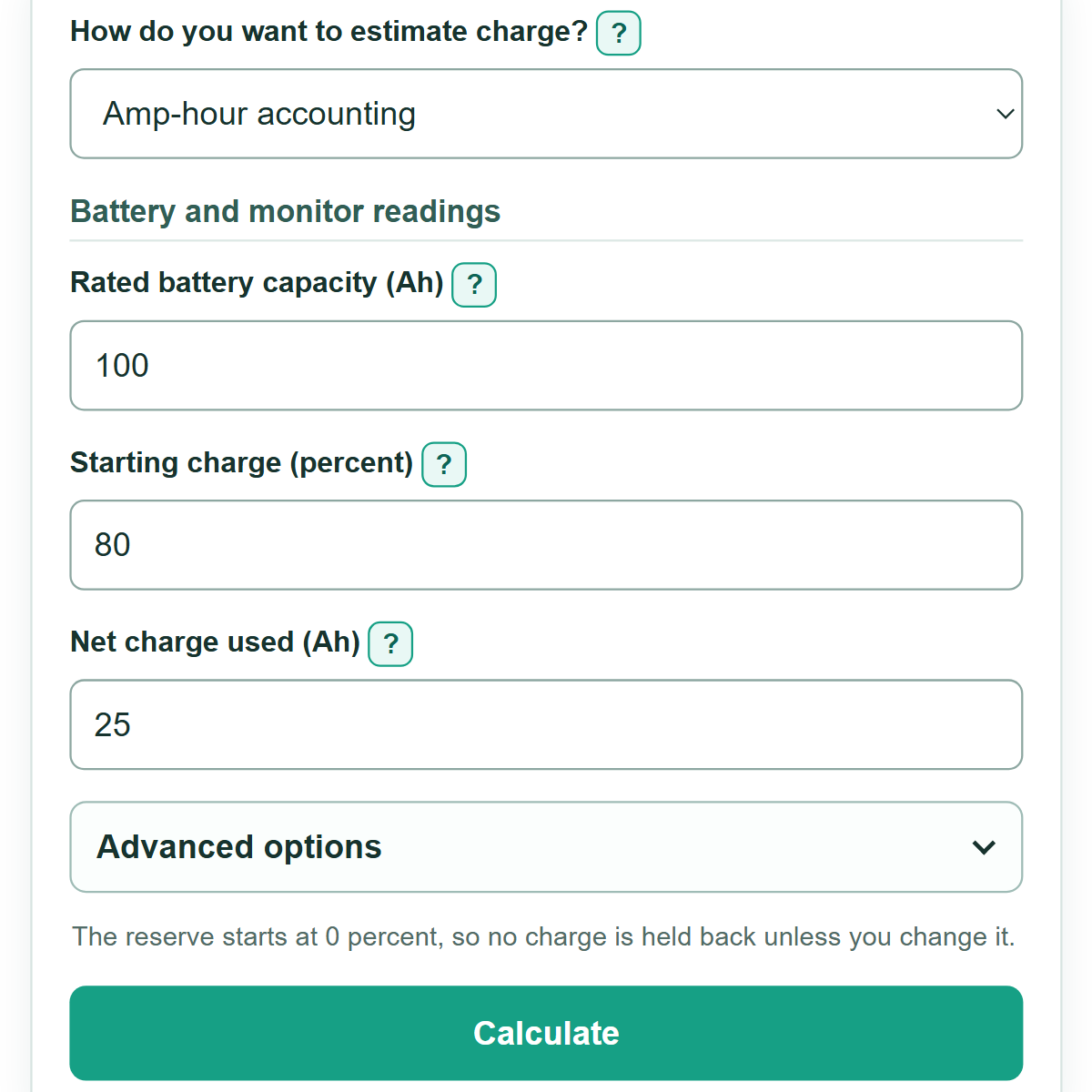
- For "Amp-hour accounting," enter the rated battery capacity, starting charge, and net charge used. Enter a positive net Ah value when charge left the battery and a negative value when net charging added charge.
- For "Resting voltage estimate," choose the battery type, confirm "Battery is resting," then enter the terminal voltage and the battery maker's empty and full rested-voltage references.
- Enter "Rated battery capacity (Ah)" in voltage mode if you also want remaining charge in Ah. Leave it blank if you only need the percentage estimate.
- Open "Advanced options" to enter nominal voltage for an estimated Wh result or a reserve percentage for charge remaining above your chosen reserve.
- Select "Calculate." Read "Estimated state of charge" first, then read "How to read this estimate" before using the result to plan charging or battery use.
Definitions
State of charge (SOC): The estimated charge still in a battery, shown as a percent of full charge.
Amp-hour (Ah): A measure of electric charge. The Ah rating on a battery label is its rated full-charge capacity under stated test conditions.
Net charge used: Charge removed since the starting reading. A positive value means charge left the battery; a negative value means net charging occurred.
Depth of discharge: The percent of full charge already used. It equals 100 percent minus SOC.
Resting voltage: Terminal voltage measured after charging and meaningful loads have stopped, allowing the reading to settle.
Nominal voltage: The labeled battery or system voltage used to estimate Wh. It is not the same as live terminal voltage.
Watt-hour (Wh): A measure of energy. This calculator estimates remaining Wh from remaining Ah and nominal voltage.
Common mistakes and quick fixes
Mistake: Measuring voltage while a charger, inverter, or meaningful load is active.
Fix: Let the battery rest and measure at its terminals, or choose "Amp-hour accounting."
Mistake: Treating a negative "Net charge used (Ah)" value as an error.
Fix: Use a negative value when charging added more Ah than loads removed during the log period.
Mistake: Adding Ah ratings for batteries connected in series.
Fix: A series string keeps the same Ah rating. Add Ah ratings only for parallel batteries of the same bank.
Mistake: Using charging voltage as the full reference voltage.
Fix: Use the battery maker's rested-voltage reference points, not the higher voltage seen during charging.
Mistake: Using voltage alone as a precise LiFePO4 charge reading.
Fix: Use "Amp-hour accounting" or a battery monitor because LiFePO4 voltage changes little through much of its middle charge range. [1]
Limitations & Key Assumptions / Boundary Conditions
- Amp-hour accounting depends on a correct starting SOC, rated capacity, and monitor or log. Age, temperature, discharge rate, and battery condition can make usable capacity differ from the label rating.
- The voltage method is a linear planning estimate between the empty and full references you enter. Terminal voltage changes with charging and load conditions, so this calculator blocks active readings. [2]
- The calculator does not produce a voltage-only LiFePO4 SOC estimate. LiFePO4 voltage is relatively flat through much of its middle charge range, so amp-hour tracking or a battery monitor is more useful for that range. [1]
- Estimated Wh uses nominal voltage. The energy actually delivered changes as battery voltage changes during use.
- Your reserve is a planning preference, not a battery-maker discharge limit or a safety recommendation. Follow the battery maker's charging, discharge, and low-voltage guidance.
Methodology
Amp-hour accounting
The calculator finds the starting charge in Ah, then subtracts net Ah used. Positive net Ah means charge was removed. Negative net Ah means charging added charge.
starting charge in Ah = rated capacity in Ah * starting SOC / 100
SOC = (starting charge in Ah - net Ah used) / rated capacity in Ah * 100
Example: A 100 Ah battery starts at 80 percent, so it begins with 80 Ah. After 25 Ah of net use, 55 Ah remains and the estimated SOC is 55.0 percent.
Resting-voltage estimate
For a rested, supported battery type, the calculator places the measured terminal voltage between the empty and full references you supply. Use references from the battery maker that match the same resting condition.
SOC = (measured voltage - empty reference voltage) / (full reference voltage - empty reference voltage) * 100
The calculator rejects a voltage outside those references and rejects empty and full references that are equal or reversed. This prevents a forced 0 or 100 percent result from an inconsistent set of entries.
Supporting results
depth of discharge = 100 - SOC
remaining charge in Ah = rated capacity in Ah * SOC / 100
estimated energy in Wh = remaining charge in Ah * nominal voltage
charge above reserve in Ah = remaining charge in Ah - rated capacity in Ah * reserve / 100
A negative charge-above-reserve result means the estimated SOC is already below the reserve chosen for planning.