
Use this chronological age calculator to find exact age on any date in years, months, and days, plus optional time totals.
Table of contents
How to use our Chronological Age Calculator
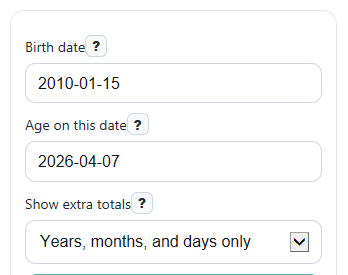
- Enter the Birth date and the Age on this date you want to measure to.
- Choose Show extra totals if you also want total full months lived, total weeks lived, and total days lived.
- Click Calculate to see Exact age, Age summary, and Next birthday.
- Sanity-check the result by reading Age summary and Next birthday; if they do not match what you expect around a recent birthday, recheck the dates you entered.
Definitions
Chronological age: A person's age measured from birth to a given date [1].
Birth date: The starting date used for the calculation.
Age on this date: The ending or reference date used to measure age.
Exact age: The completed time between the two dates shown as years, months, and days.
Total full months lived: The number of whole months completed between the two dates.
Total days lived: The exact number of calendar days between the two dates.
Next birthday: The number of days from the reference date until the next birthday.
Common mistakes and quick fixes
Mistake: Entering the wrong year in Birth date.
Fix: Double-check the full date in Birth date, especially the year, before you calculate Exact age.
Mistake: Using today's date when you really need age for testing, school, or records on another day.
Fix: Set Age on this date to the exact reference date you need, then review Age summary.
Mistake: Expecting Total full months lived to round partial months up.
Fix: Read it as completed whole months only; use Exact age for the full years-months-days breakdown.
Mistake: Thinking Total weeks lived should always be a whole number.
Fix: Remember that Total weeks lived comes from Total days lived divided by 7, so partial weeks can appear.
Mistake: Entering an Age on this date that is before the Birth date.
Fix: Change Age on this date so it is the same as or later than Birth date ; otherwise the calculator will show a Note and no age result.
Limitations & Key Assumptions / Boundary Conditions
- The main years-months-days result uses real calendar dates, not average month or year lengths.
- The calculator requires Age on this date to be the same as or later than Birth date.
- For Feb 29 birthdays, non-leap years use Feb 28 as the birthday for both the age breakdown and Next birthday.
- Total full months lived counts only completed months, so it does not round partial months up.
- Total weeks lived is based on Total days lived divided by 7, so it may include a partial week.
- Results depend on the date values entered in the browser date fields; if a very old date is not supported by your device, try another browser or device.
Methodology
How the calculator works
The calculator measures chronological age as elapsed time from Birth date to Age on this date [1]. It first finds completed years, then completed months after the last completed year, then the remaining days. This avoids rough shortcuts like treating every month as 30 days.
Find Y so birth date shifted by Y years is not after the as-of date.
Find M so the year anniversary shifted by M months is not after the as-of date.
D = as_of_date - shifted_date_after_Y_years_and_M_months
total_days = as_of_date - birth_date
total_months = 12 x Y + M
total_weeks = total_days / 7
days_until_next_birthday = next_birthday_date - as_of_date
Worked mini-example
If the Birth date is 2010-01-15 and Age on this date is 2026-04-07, the completed years are 16 because 2026-01-15 has passed. From 2026-01-15 to 2026-04-07, there are 2 completed months and 23 remaining days. So Exact age is 16 years, 2 months, and 23 days, and Total full months lived is 16 x 12 + 2 = 194.
Calendar rules used
The calculation follows the Gregorian calendar, including real month lengths and leap years. Leap years follow the standard rule: divisible by 4, except century years not divisible by 400. February can therefore have 28 or 29 days depending on the year.
Feb 29 birthday policy
For someone born on Feb 29, this calculator uses Feb 28 as the birthday in non-leap years. That same rule is used consistently when finding completed years and when calculating Next birthday.
Assumptions and limits
This tool works with whole calendar dates, not times of day. Results can differ from systems that use a different Feb 29 policy or that count age at a specific hour and minute. If the ending date is before the starting date, the calculator returns an error instead of a negative age.