
Enter a binary number to get its exact octal equivalent, with the correct format for unsigned, negative, two's complement, or fractional values.
Table of contents
How to use our Binary to Octal Converter
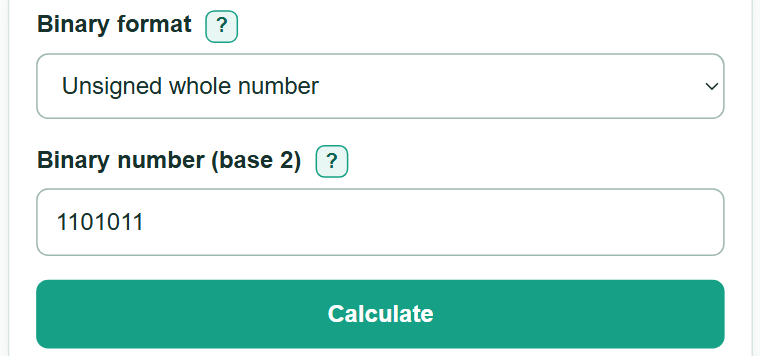
- Choose the binary format named by your homework problem, code, or digital-logic task.
- Enter the binary number using 0 and 1. Spaces between bit groups are allowed.
- If you select "Two's complement," enter the full bit width, including leading zeros.
- Click "Calculate" and use the octal number, labeled base 8, as your main answer.
- Sanity-check the result with the decimal check and the three-bit steps. Whole-number groups begin at the right; fraction groups begin at the binary point.
Definitions
Binary (base 2): A number system that uses only the digits 0 and 1.
Octal (base 8): A number system that uses the digits 0 through 7.
Three-bit group: Three binary digits that map to one octal digit because 8 equals 2 raised to the third power. [1]
Two's complement: A fixed-width way to write signed binary whole numbers. When the first bit is 1, the pattern represents a negative value.
Binary fraction: A binary number with a point, such as 101.011. Bits to the right represent halves, fourths, eighths, and smaller parts.
Bit width: The total number of 0 and 1 digits in a fixed-width pattern, including leading zeros.
Common mistakes and quick fixes
Mistake: Grouping whole-number bits from the left.
Fix: Start with the rightmost bit and make groups of three. Add zeros only to the far-left outside group.
Mistake: Choosing "Two's complement" for an ordinary negative number such as -101101.
Fix: Select "Number with a minus sign" for a written minus sign. Use "Two's complement" only for a fixed-width encoded bit pattern.
Mistake: Omitting leading zeros from a two's complement pattern.
Fix: Enter every bit in the stated width. Leading zeros count toward width even when they do not change an unsigned value.
Mistake: Using digits other than 0 and 1, or using a point in a whole-number format.
Fix: Use only 0 and 1. Select "Binary fraction" before entering one binary point with bits on both sides.
Mistake: Copying the decimal check as the octal answer.
Fix: Use the value labeled base 8 as the answer. The base-10 value is only a check of the same quantity.
Limitations & Key Assumptions / Boundary Conditions
- The converter accepts up to 4,096 binary digits as an implementation safety limit.
- Two's complement needs an exact bit width. The same bits can represent different signed values when their width changes.
- "Number with a minus sign" means ordinary notation such as -101101; it is not two's complement.
- Fraction mode accepts only finite binary fractions with exactly one binary point and at least one bit on each side.
- Spaces between groups are ignored. Digits other than 0 and 1, exponent notation, multiple signs, and multiple binary points are rejected.
Methodology
How conversion works
One octal digit has the same number of possible values as three binary bits: 000 through 111 map to 0 through 7. [1] For a whole number, the calculator groups bits from right to left and adds zeros only to the far-left outside group. For a fraction, it groups outward from the binary point to the right and adds zeros only to the far-right outside group.
octal_result = binary bits grouped in sets of 3, with each group mapped from 000..111 to 0..7
Signed values and fractions
In "Number with a minus sign" mode, the calculator converts the magnitude and then restores the minus sign. A zero magnitude is displayed as 0, not -0. In "Two's complement" mode, a pattern starting with 1 is interpreted by subtracting 2 raised to the stated bit width from its unsigned value; a pattern starting with 0 keeps its unsigned value.
decimal_result = unsigned_value - 2^bit_width, when the first two's complement bit is 1
For a binary fraction, positions after the point have values of 1/2, 1/4, 1/8, and so on. A finite binary fraction has an exact finite octal form.
decimal_result = integer_bits + sum of fractional_bit times 2^(-position)
Mini-example
For 1101011, grouping from the right gives 001 101 011. These groups map to 1, 5, and 3, so the octal answer is 153 base 8. The decimal check is 107.
The calculator processes whole-number portions as exact digit strings and integer values, so long whole-number inputs are not rounded through ordinary JavaScript number storage.