
Convert millions, billions, or a full number into matching short-scale values and see the same amount written all three ways.
How to use our Million to Billion Converter
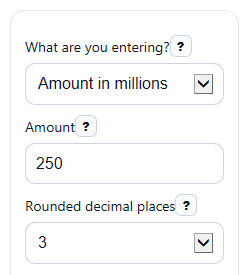
- Choose an option under What are you entering?: Amount in millions, Amount in billions, or Plain number.
- Enter your value in Amount. You can use decimals for million or billion entries, and you can paste a full number with or without commas.
- Pick Rounded decimal places to control how many digits appear in the converted values.
- Click Calculate to see In billions, In millions, Full number, Scientific notation, and Scale used.
- Do a quick check: if you entered millions, the In billions value should usually be 1,000 times smaller; if you entered billions, the In millions value should be 1,000 times larger.
Definitions
Million: 1,000,000, which is 10^6 [2].
Billion: On this page, 1,000,000,000, which is 10^9 in the US short scale [1][3].
US short scale: The naming system used here, where 1 billion equals 1,000 million [1].
Plain number: The full amount written out as a regular number, such as 2,500,000,000.
Scientific notation: A compact way to write a number as a value times a power of ten, such as 2.5 x 10^9.
Rounded decimal places: How many digits appear after the decimal point in displayed converted values.
Common mistakes and quick fixes
Mistake: Leaving What are you entering? on the wrong choice, such as typing 2.5 but meaning 2.5 billion while the mode is set to millions.
Fix: Match the mode to the form you already have before using Amount .
Mistake: Typing a full count like 2500000000 in Amount while What are you entering? is set to Amount in billions .
Fix: Switch to Plain number for full counts, or enter 2.5 if you want to stay in billion mode.
Mistake: Expecting Full number to remove decimals when you entered a decimal amount such as 1.2 billion.
Fix: Read Full number as the same value written normally, which can still be a decimal if your original Amount was a decimal.
Mistake: Thinking Rounded decimal places changes the actual conversion.
Fix: It only changes display rounding. Check Scientific notation or increase Rounded decimal places if you want more detail.
Mistake: Entering text like "two point five" in Amount .
Fix: Enter digits only, such as 2.5, 250, or 2500000000.
Mistake: Forgetting that Scale used is the US short scale.
Fix: Read the Scale used output: this page uses 1 billion = 1,000 million.
Limitations & Key Assumptions / Boundary Conditions
- This page uses the US short scale only, where 1 billion = 1,000 million. Some regions and older sources may use different large-number naming.
- Rounding affects how values look on screen, especially very small converted results, but it does not change the underlying conversion.
- Very large inputs can run into normal JavaScript number precision limits, so the Full number display may be rounded or less exact for extreme values.
- Plain number mode is meant for a full numeric amount. If you enter a decimal there, the math still works, but it may not represent a whole-item count.
- Negative values are allowed because the arithmetic is valid, but they usually represent a change, difference, or accounting amount rather than a count of objects.
Methodology
How the converter works
The calculator first reads your selected input type, then converts that amount into the same base value using the US short scale. After that, it shows the value in millions, billions, full-number form, and scientific notation.
billions = millions / 1000
millions = billions * 1000
millions = plain number / 1000000
billions = plain number / 1000000000
value = a x 10^n, with 1 <= abs(a) < 10 for nonzero values
Worked mini-example
If you choose Amount in millions and enter 250, the calculator keeps 250 as the million value. It then divides by 1,000 to get 0.25 billion, writes the full number as 250,000,000, and shows scientific notation as 2.5 x 10^8.
If you choose Plain number and enter 125000000, the calculator divides by 1,000,000 to get 125 million and by 1,000,000,000 to get 0.125 billion.
Display rules
The Rounded decimal places control changes only the shown rounding for converted values. The full conversion is done before display rounding. Commas and spaces are stripped before parsing so entries like 2,500,000,000 are read correctly.
Assumptions used
This page assumes the US short scale, where one million is 1,000,000 and one billion is 1,000,000,000 [1]. For zero input, all outputs are zero. Negative inputs stay negative because the conversion is linear and does not clamp values.
Sources
- Names of Large Numbers | Billion, Trillion, Googolplex | Britannica - Encyclopedia Britannica
- million number - Definition, pictures, pronunciation and usage notes | Oxford Advanced Learner's Dictionary at OxfordLearnersDictionaries.com - Oxfordlearnersdictionaries
- billion number - Definition, pictures, pronunciation and usage notes | Oxford Advanced Learner's Dictionary at OxfordLearnersDictionaries.com - Oxfordlearnersdictionaries