
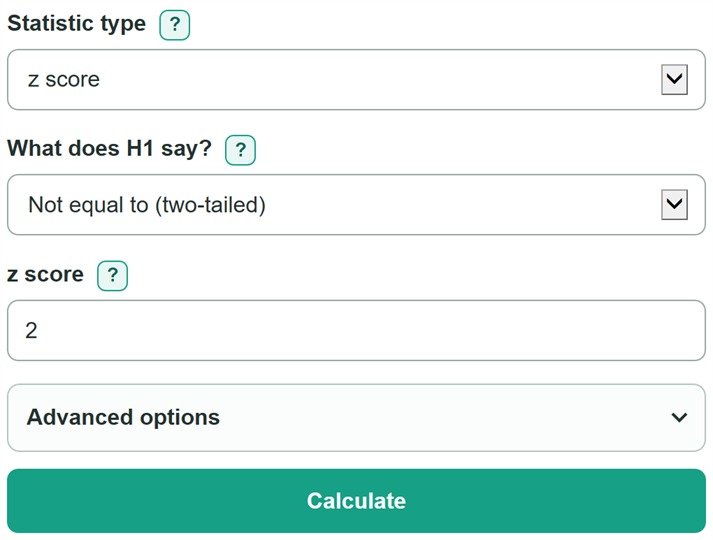
Enter a z, t, chi-square, F, or Pearson r result to calculate its p-value using the probability area that matches H1.
Advanced options
This is the probability of a result at least as extreme in the probability area selected below, assuming the null hypothesis model. It is not the probability that the null hypothesis is true.
Statistical significance does not show whether an effect is large or important in practice.
Table of contents
How to use our P-value Calculator
- Choose the Statistic type shown in your assignment, report, or software output.
- For z, t, and Pearson correlation tests, choose the statement that matches What does H1 say?. This sets the probability area used for the p-value.
- Enter the requested values: the test statistic, degrees of freedom, ordered F degrees of freedom, or Pearson correlation and sample size.
- If your class or analysis plan gives a cutoff, open Advanced options and enter Significance level (alpha) as 0.05 or 5%.
- Click Calculate. Before writing a conclusion, check that Probability area used matches H1, then compare the p-value with alpha only if you entered alpha.
Definitions
P-value: The probability of getting a result at least as extreme as the observed result, assuming the null hypothesis model and using the selected probability area.
H1 (alternative hypothesis): The claim tested against the null hypothesis. For z, t, and correlation tests, its direction chooses the left, right, or two-tailed probability area.
Two-tailed: A probability area covering extreme results in both directions. Use it when H1 says "not equal to."
Degrees of freedom (df): A positive whole number that helps set the shape of a t, chi-square, or F probability distribution.
Alpha: A chosen cutoff for comparison with the p-value. A p-value at or below alpha is statistically significant at that cutoff.[1]
Pearson correlation (r): A number from -1 to 1 that measures the direction and degree of a linear relationship between paired observations.
Common mistakes and quick fixes
Mistake: Choosing "Greater than" when H1 says the value is less than.
Fix: Check Statistic type and then recalculate. Copy H1 exactly. Less than uses the left tail, greater than uses the right tail, and not equal to uses two tails.
Mistake: Entering sample size where the calculator asks for degrees of freedom (df).
Fix: Check Statistic type and then recalculate. Use the df shown in the problem or software output. Enter sample size only for the Pearson correlation route.
Mistake: Reversing numerator df1 and denominator df2 for an F statistic.
Fix: Check Statistic type and then recalculate. Copy df1 and df2 in the same order shown in the F-test output.
Mistake: Entering 5 for alpha when you mean 5%.
Fix: Check Statistic type and then recalculate. Enter 0.05 as a decimal probability or type 5% with the percent sign. A bare 5 means 5.0 and is not a valid alpha.
Mistake: Reading the p-value as the chance that the null hypothesis is true.
Fix: Check Statistic type and then recalculate. Read it as the probability of a result at least as extreme as yours, assuming the null hypothesis model.
Limitations & Key Assumptions / Boundary Conditions
- The calculator assumes the entered test statistic and its supporting values were calculated correctly using a suitable statistical test.
- For z, t, and correlation tests, H1 should be chosen before looking at the data or p-value. Choosing a tail afterward can make a conclusion misleading.
- Chi-square and F routes calculate upper-tail probabilities only, so the H1 selector does not apply to those routes.
- A p-value does not give the probability that the null hypothesis is true, the size of an effect, or whether an effect matters in practice.
- The Pearson correlation route uses df = n - 2, where n is the number of paired observations used to calculate r.
- Very small nonzero probabilities can display as 0 at a chosen rounding level. The calculator will disclose additional digits when rounding hides a nonzero value.
Methodology
Probability calculation
The selected statistic type determines the probability distribution. For z, t, and Pearson correlation, H1 determines the area used: "not equal to" uses two tails, "less than" uses the left tail, and "greater than" uses the right tail. Chi-square and F statistics use an upper, or right, tail.
p = 2 x min(CDF, 1 - CDF)
This two-tailed rule applies to z and t statistics. CDF means cumulative distribution function, or the probability at or below the entered statistic. A left-tailed test uses CDF, while a right-tailed test uses 1 - CDF.
p = 1 - ChiSquareCDF(x, df)
p = 1 - FCDF(f, df1, df2)
For chi-square and F, the calculator finds the probability at or above the entered statistic. For an F statistic, df1 and df2 stay in their entered order.
Pearson correlation route
The Pearson correlation route converts r to a t statistic, then applies the selected t probability area. It uses df = n - 2.[2]
t = r x sqrt((n - 2) / (1 - r x r))
If r is exactly 1 or -1 and the sample size is valid, the calculator returns the limiting p-value of 0 without showing an infinite t statistic.
Worked example
With z = 2 and H1 of "not equal to," the cumulative probability is about 0.9772499. The smaller tail is about 0.0227501, so the two-tailed p-value is 2 x 0.0227501 = 0.0455003. If alpha is 0.05, the unrounded p-value is at or below alpha, so the result is statistically significant at that cutoff.[1]
Rounding and comparison
The calculator compares alpha with the unrounded p-value. Changing displayed decimal places changes only the text shown, not the probability calculation or the alpha comparison.