
Enter a bedtime or wake-up time to find the matching sleep schedule based on your age group and planned sleep time.
Advanced options
Table of contents
How to use our Sleep Calculator
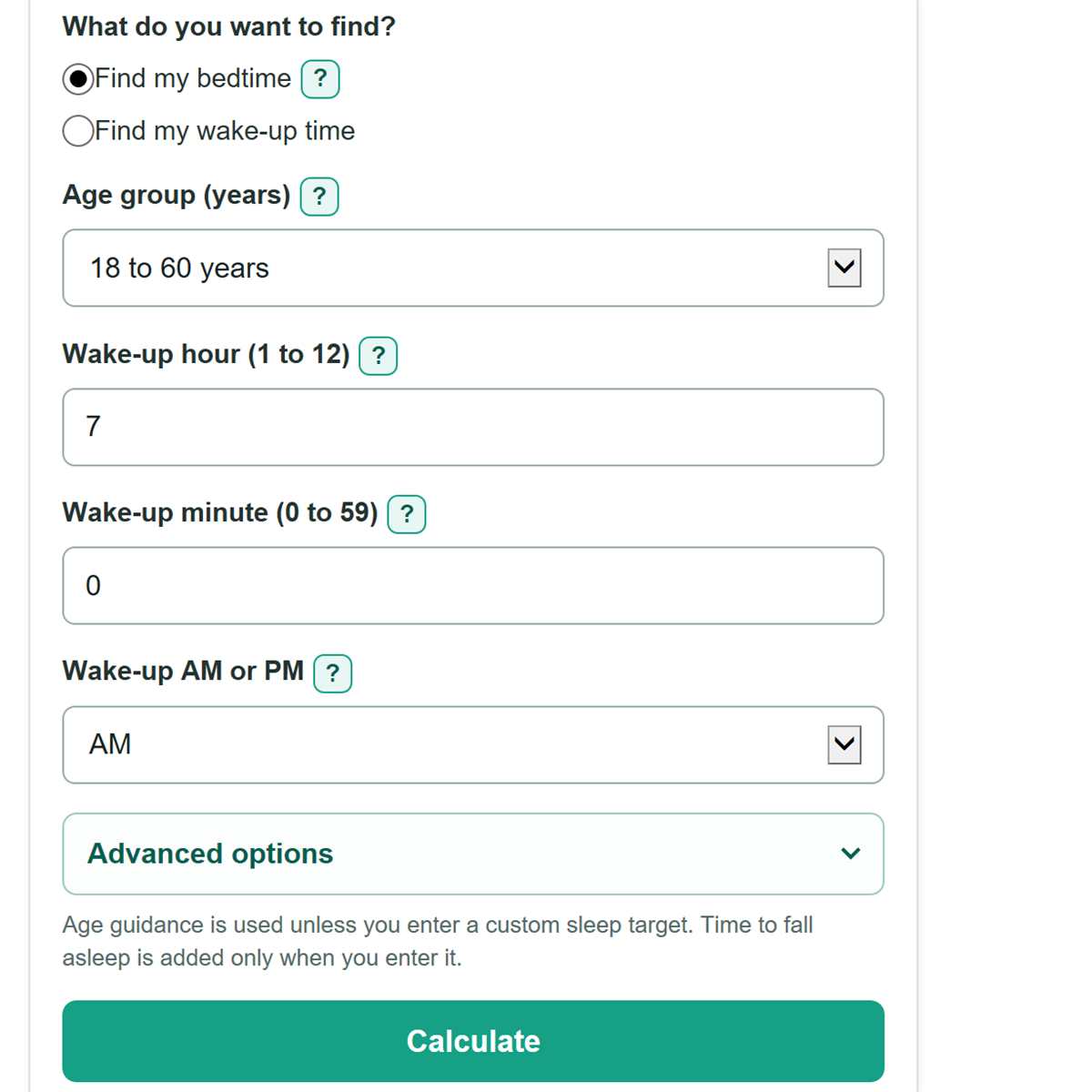
- Choose whether you want to find your bedtime or your wake-up time.
- Select the sleeper's age group, then enter the known time as an hour, minute, and AM or PM.
- Select Calculate to use the age-guided sleep target, or open Advanced options to enter a custom sleep target or usual time to fall asleep.
- Read the first card for the calculated bedtime or wake-up time, then compare Planned time asleep with Planned time in bed.
- Sanity-check AM or PM and the Schedule day shift, especially if the answer crosses midnight. Remember that 12:00 AM is midnight and 12:00 PM is noon.
Definitions
Age-guided sleep target: The lower end of the CDC sleep-duration guidance for the selected age group. The calculator uses it only when both custom sleep target fields are blank. [1]
Planned time asleep: The amount of sleep the calculation aims for. It does not include time spent awake before falling asleep.
Planned time in bed: Planned time asleep plus the entered time to fall asleep.
Time to fall asleep: Estimated minutes from getting into bed until sleep begins. This is also called sleep latency.
Schedule day shift: Whether the calculated time falls on the previous day, the same day, or the next day compared with the time you entered.
Estimated sleep cycles: Planned time asleep divided by the selected estimated cycle length. This is not a measurement of sleep stages.
Common mistakes and quick fixes
Mistake: Selecting PM for a morning alarm, or AM for an evening bedtime.
Fix: Check What do you want to find? and then recalculate. Check the AM or PM choice before calculating. 12:00 AM is midnight, and 12:00 PM is noon.
Mistake: Entering 0 or 13 for the hour, or 60 for the minute.
Fix: Check What do you want to find? and then recalculate. Enter an hour from 1 to 12 and minutes from 0 to 59. Enter 7 and 30 for 7:30.
Mistake: Assuming time in bed is the same as time asleep.
Fix: Add your usual Time to fall asleep (minutes) if you tend to lie awake before sleeping. That time is added to Planned time in bed.
Mistake: Entering 0 hours and 0 minutes as a custom sleep target.
Fix: Check What do you want to find? and then recalculate. Leave both custom sleep fields blank to use the age-guided target, or enter a custom target greater than 0 minutes.
Mistake: Treating estimated sleep cycles as a measurement of your sleep stages.
Fix: Check What do you want to find? and then recalculate. Use cycle estimates only for rough planning. The main bedtime or wake-up answer is based on your planned sleep duration.
Limitations & Key Assumptions / Boundary Conditions
- This calculator plans one overnight schedule for people age 6 or older. Sleep needs for younger children can include naps and are outside this model.
- Age-based sleep guidance is a starting target, not personal medical advice. Individual sleep needs can differ because of health, medicines, activity, or sleep problems.
- Time to fall asleep can change from night to night. A different buffer changes the calculated bedtime or wake-up time.
- The calculator does not account for naps, interrupted sleep, shift work, travel across time zones, or daylight saving time changes.
- Estimated sleep cycles use the selected cycle length, with 90 minutes as a planning default. Sleep-stage timing varies between people and nights. [2]
- This tool does not diagnose insomnia, sleep apnea, or another sleep condition. Seek medical advice for ongoing sleep concerns, loud snoring, gasping, breathing pauses, or severe daytime sleepiness.
Methodology
Sleep target
If both custom sleep fields are blank, the calculator uses the lower end of CDC sleep-duration guidance for the selected age group: 9 hours for ages 6 to 12, 8 hours for ages 13 to 17, and 7 hours for adults age 18 or older. [1]
planned_sleep_minutes = age_guidance_minutes or (custom_hours * 60 + custom_minutes)
Entering either custom sleep field replaces age guidance. If one custom field is blank, it counts as zero. For example, 8 hours with blank minutes means 8 hours exactly.
Clock calculation
The calculator converts the entered 12-hour time to minutes after midnight. It adds planned time in bed to a bedtime when finding a wake-up time. It subtracts planned time in bed from a wake-up time when finding a bedtime.
time_in_bed_minutes = planned_sleep_minutes + time_to_fall_asleep_minutes
schedule_raw_minutes = anchor_minutes - time_in_bed_minutes (bedtime) or anchor_minutes + time_in_bed_minutes (wake-up time)
display_minutes = ((schedule_raw_minutes % 1440) + 1440) % 1440
The final step keeps the displayed time between 12:00 AM and 11:59 PM. The original, unadjusted time determines the previous-day, same-day, or next-day label.
Worked example
An adult who needs to wake at 7:00 AM starts with a 7-hour target. If they enter 15 minutes to fall asleep, the plan needs 7 hours 15 minutes in bed. Counting back gives 11:45 PM on the previous day for getting into bed. Estimated sleep starts at 12:00 AM.
Optional cycle estimate
When estimated sleep cycles are turned on, the calculator divides planned time asleep by the selected estimated cycle length. The default is 90 minutes.
estimated_cycle_count = planned_sleep_minutes / cycle_length_minutes
Sleep passes through repeating stages, but cycle timing varies. The cycle count is only a planning estimate and cannot identify a sleep stage. [2]