
Enter each loan balance and rate to find the blended interest rate, with optional federal consolidation rounding.
Table of contents
How to use our Weighted Average Interest Rate Calculator
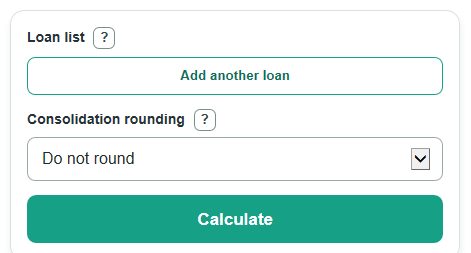
- In the Loan list, enter each loan name if you want, its current balance, and its annual interest rate.
- Add or remove rows until the Loan list matches all loans you want included.
- Choose Consolidation rounding: use Do not round for a normal blended rate, or choose the federal option to compare the rounded consolidation rate.
- Select Calculate, then read Weighted average interest rate first and check Total loan balance and Loans included to make sure the right loans were counted.
- Use Loan-by-loan breakdown to sanity-check the answer: a bigger balance should have a bigger effect on the blended rate than a smaller balance.
Definitions
Loan list: The rows of loans used in the calculation. Each included row needs a positive balance and a valid annual interest rate.
Weighted average interest rate: The blended annual rate for all included loans. A larger loan balance has more pull on this rate than a smaller balance.
Total loan balance: The sum of the balances from all rows that pass the input checks.
Consolidation rounding: An optional setting that compares the raw weighted rate with a federal Direct Consolidation-style rate rounded up to the next 1/8% step.
Federal consolidation rate after rounding: The weighted average interest rate after the optional rounding rule is applied.
Extra rate added by rounding: The rounded rate minus the unrounded weighted average, shown in percentage points.
Estimated interest for one year: A simple interest estimate based on the entered balances and rates before payments, fees, or compounding.
Common mistakes and quick fixes
Mistake: Leaving a row half-filled in Loan list, such as a name with no balance or rate.
Fix: Complete that row or remove it before calculating.
Mistake: Typing a negative balance in Loan list.
Fix: Enter the current positive loan balance; do not use negative numbers for debts in this calculator.
Mistake: Treating Weighted average interest rate like a simple average of rates.
Fix: Check Total loan balance and Loan-by-loan breakdown, because larger balances count more.
Mistake: Choosing Consolidation rounding for a normal loan comparison.
Fix: Choose Do not round unless you specifically want the federal consolidation rounding comparison.
Mistake: Reading Estimated interest for one year as a payoff schedule.
Fix: Use it only as a simple yearly interest estimate; it does not include payments, fees, or compounding.
Mistake: Ignoring Loans included when the answer looks wrong.
Fix: If Loans included is lower than expected, fix blank, invalid, or incomplete rows in Loan list.
Limitations & Key Assumptions / Boundary Conditions
- The calculator uses current balances as weights. It does not predict future balances after payments.
- Estimated interest for one year and Estimated interest for one month use simple interest only. Real statements can differ because of daily interest, compounding, fees, payment timing, deferment, or capitalization.
- Consolidation rounding is only a comparison setting. It does not confirm eligibility, loan type, servicer rules, or any future federal program change.
- Rows with blank names are allowed, but each included row must have a positive balance and a valid rate. A 0% rate is allowed.
- Negative balances, negative rates, ranges, formulas, and multiple numbers in one balance or rate field are invalid.
- If a loan has a variable rate, the result is only for the rate you entered.
Methodology
How the math works
The calculator first includes only valid loan rows, then adds their balances and simple yearly interest amounts. The blended rate is a balance-weighted average, so a $10,000 loan affects the answer twice as much as a $5,000 loan at the same rate.
total_balance = sum(balance_i)
estimated_annual_interest = sum(balance_i * rate_percent_i / 100)
weighted_average_rate = estimated_annual_interest / total_balance * 100
estimated_monthly_interest = estimated_annual_interest / 12
Federal rounding comparison
If Consolidation rounding is set to the federal option, the calculator rounds the weighted average rate up to the next 0.125 percentage point step, which is one-eighth of one percent. A tiny epsilon value is subtracted before rounding so a rate already on an exact 0.125% step is not rounded higher because of computer decimal noise.
federal_rounded_rate = ceil((weighted_average_rate - epsilon) / 0.125) * 0.125
rounding_added_rate = federal_rounded_rate - weighted_average_rate
Loan breakdown
For each included loan, the calculator also finds that loan's share of the total balance and its simple yearly interest.
loan_weight_percent_i = balance_i / total_balance * 100
loan_annual_interest_i = balance_i * rate_percent_i / 100
Mini-example
For loans of $10,000 at 5%, $5,000 at 7%, and $2,000 at 10%, the total balance is $17,000. The estimated yearly interest is $500 + $350 + $200 = $1,050. The weighted average interest rate is $1,050 / $17,000 * 100 = 6.176470588%, shown as about 6.18%. With federal rounding selected, that rounds up to 6.25%, so the extra rate added by rounding is about 0.0735 percentage points.