
Enter a length in centimeters to get its exact millimeter equivalent, or switch directions to convert millimeters to centimeters.
Table of contents
How to use our Centimeters to Millimeters Converter
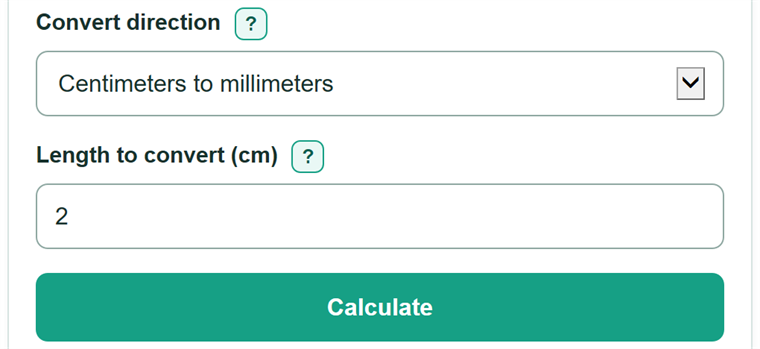
- Choose the starting unit under "Convert direction." Keep "Centimeters to millimeters" selected for the usual conversion.
- Type the measurement in the visible length field. You can enter a number alone or add the matching cm or mm suffix.
- Click "Calculate" to see the equivalent length in the other metric unit.
- Check the number before using it: converting cm to mm makes the number 10 times larger, while converting mm to cm makes it 10 times smaller.
Definitions
Centimeter (cm): A metric unit of length equal to 10 millimeters.
Millimeter (mm): A metric unit of length. Ten millimeters equal 1 centimeter.
Exact conversion: A conversion based on a fixed unit relationship, with no estimating needed.
Decimal measurement: A measurement with a decimal point, such as 1.5 cm.
Common mistakes and quick fixes
Mistake: Dividing a centimeter measurement by 10.
Fix: Check Length to convert and then recalculate. To convert cm to mm, multiply the number by 10.
Mistake: Entering a measurement marked mm while the direction is centimeters to millimeters.
Fix: Check Length to convert and then recalculate. Switch the direction to "Millimeters to centimeters" before entering a millimeter measurement.
Mistake: Dropping a decimal point, such as copying 1.5 cm as 15 cm.
Fix: Check Length to convert and then recalculate. Recheck the original measurement. For example, 1.5 cm converts to 15 mm.
Mistake: Typing the wrong unit suffix for the selected direction.
Fix: Check Length to convert and then recalculate. Use cm in the centimeter field and mm in the millimeter field, or enter the number with no suffix.
Mistake: Writing a decimal with a comma, such as 1,01.
Fix: Check Length to convert and then recalculate. Use a decimal point: enter 1.01. Commas are only accepted in thousands groups, such as 1,000.5.
Limitations & Key Assumptions / Boundary Conditions
- The converter handles one nonnegative physical length at a time; enter 0 for zero length.
- The factor of 10 is exact, but a ruler, tape measure, drawing, or product specification may have limited measurement precision.
- Centimeter and millimeter entries are different starting units. Use the direction that matches the unit written with the source measurement.
- Very large numbers or unusually long decimals can be limited by ordinary browser number handling.
Methodology
Conversion rule
One centimeter equals exactly 10 millimeters, so changing from centimeters to millimeters multiplies the number by 10.
millimeters = centimeters x 10
For the reverse direction, divide by 10 because 10 millimeters make 1 centimeter.
centimeters = millimeters / 10
Worked example
For 1.5 cm, multiply 1.5 by 10 to get 15 mm. For 15.5 mm, divide 15.5 by 10 to get 1.55 cm.
Number handling
Zero is a valid length and converts to zero. The calculator keeps the converted decimal instead of rounding it because the relationship between cm and mm is exact.