
Convert years to months fast, including decimal years and an optional whole-month result for planning.
Table of contents
How to use our Years to Months Converter
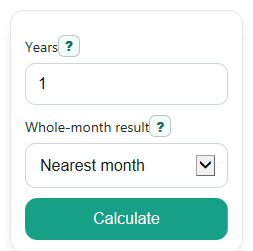
- Enter a value in Years. You can use a whole number like 2 or a decimal like 1.5.
- Choose a setting in Whole-month result: Nearest month, Round down, or Round up.
- Click Calculate to see Months, Whole-month result, and Rule used.
- Sanity-check the answer by multiplying the year value by 12 in your head. For example, 2.5 years should equal 30 months.
Definitions
Years: The time value you enter, measured in years. Decimals are allowed.
Months: The exact converted time in months, found by multiplying years by 12.
Whole-month result: A rounded month count used when you want a whole number instead of a decimal month value.
Nearest month: Rounds to the closest whole month.
Round down: Drops any decimal part and moves to the lower whole month.
Round up: Moves any decimal part to the next higher whole month.
Rule used: The conversion rule shown so you can check the math yourself.
Common mistakes and quick fixes
Mistake: Leaving Years blank and expecting a result.
Fix: Enter a number in Years , such as 1, 2.5, or -0.5.
Mistake: Typing words or symbols into Years , such as "two years".
Fix: Use numbers only in Years . Decimals are fine, like 1.25.
Mistake: Reading Whole-month result as the exact conversion.
Fix: Use Months for the exact answer and Whole-month result only when you need a whole number for planning.
Mistake: Picking the wrong Whole-month result option for your situation.
Fix: Use Nearest month for general rounding, Round down to avoid overstating time, and Round up when you need to cover the full period.
Mistake: Thinking a negative Months value is an error.
Fix: A negative result means the entered Years value was negative. The calculator keeps that sign instead of forcing it to zero.
Limitations & Key Assumptions / Boundary Conditions
- This converter uses the standard unit rule of 12 months in 1 year.
- It converts time units only. It does not account for exact calendar dates, month lengths, leap years, or day counts.
- The Whole-month result is a rounding aid for planning, not a more exact answer than Months.
- Negative values are allowed and stay negative, which may be useful for signed time differences but may not fit every real-world use case.
- Very long decimal inputs are calculated internally, but the displayed result may be rounded for readability.
Methodology
Conversion rule
This calculator converts years to months with a fixed unit conversion.
months = years * 12
If you also want a planning-friendly whole number, the calculator rounds the exact month value using the option you picked.
months_whole = round_mode(months)
How rounding works
Nearest month goes to the closest whole month. Round down goes to the lower whole month. Round up goes to the higher whole month.
Mini-example
If Years is 1.2, the exact conversion is:
months = 1.2 * 12 = 14.4
That makes Months equal to 14.4 months. Then the whole-month result becomes 14 with Round down, 14 with Nearest month, and 15 with Round up.
How to interpret the result
Use Months when you want the exact unit conversion. Use Whole-month result when you need a whole number for things like budgets, subscriptions, warranties, or school terms.
Assumptions and limits
This method assumes 1 year always equals 12 months. It does not use calendar start and end dates, so it will not adjust for different month lengths or leap years. Negative inputs stay signed, so a negative month result means the entered year value was below zero.