
Convert between sheets, quires, reams, bundles, bales, and printer's reams while keeping the count basis clear.
Advanced options
Table of contents
How to use our Paper Quantity Converter
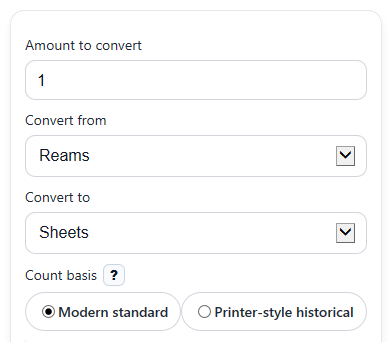
- Enter your number in Amount to convert, then choose the starting unit in Convert from.
- Choose the result unit in Convert to, then pick Count basis so the calculator uses the right sheet counts.
- If you want a shorter or more detailed answer, open Advanced options and change Decimal places.
- Click Calculate to see Converted amount, Total sheets, the Count rule used, and the Whole-unit check.
- Sanity-check your result by reading Total sheets and Count rule used; if the sheet count or basis does not match your source, switch the basis and recalculate.
Definitions
Sheet: One individual piece of paper.
Quire: A paper-count unit. In this calculator it is 25 sheets in the modern basis and 24 sheets in the printer-style historical basis [1].
Ream: A larger paper-count unit. Here it is 500 sheets in the modern basis and 480 sheets in the printer-style historical basis.
Bundle: A grouped paper count equal to 1,000 sheets in the modern basis or 960 sheets in the printer-style historical basis.
Bale: A larger grouped paper count equal to 5,000 sheets in the modern basis or 4,800 sheets in the printer-style historical basis.
Printer's ream: A separate unit set to 516 sheets in this calculator.
Count basis: The rule set that tells the calculator how many sheets belong in each larger unit.
Total sheets: Your quantity rewritten as individual sheets so every unit-to-unit conversion stays consistent.
Common mistakes and quick fixes
Mistake: Leaving Amount to convert blank or entering text like "two".
Fix: Enter a numeric value such as 2, 2.5, or 0 in Amount to convert .
Mistake: Using Count basis set to Modern standard when your source is using old printer-style counts.
Fix: Change Count basis to Printer-style historical and check the Count rule used before using the result.
Mistake: Mixing up Reams and Printer's reams in Convert from or Convert to .
Fix: Pick the exact unit named in your source, then confirm the sheet total in Total sheets .
Mistake: Treating a decimal Converted amount as a full pack.
Fix: Read Whole-unit check ; a decimal means you have only part of the target unit.
Mistake: Forgetting that changing Decimal places only changes display rounding, not the actual conversion.
Fix: Use Total sheets and Count rule used to verify the real basis of the answer.
Mistake: Choosing the same unit in Convert from and Convert to and thinking nothing happened.
Fix: This is still valid; use Total sheets to see the equivalent sheet count and confirm the basis.
Limitations & Key Assumptions / Boundary Conditions
- This converter only uses the two built-in count systems: modern standard and printer-style historical.
- Results depend completely on the selected Count basis. If your book, supplier, or archive uses a different definition, the result can differ.
- Printer's ream is treated as 516 sheets in both bases, as specified by this calculator.
- Decimal answers mean partial units. For example, a result of 0.93 reams is not a full ream.
- Rounding from Decimal places changes only how the answer is shown, not the internal conversion.
- This tool converts count units only. It does not account for paper size, weight, thickness, packaging, or price.
Methodology
How the conversion works
The calculator first changes your starting amount into sheets, then changes that sheet total into the target unit. This keeps every conversion tied to one clear count table.
total_sheets = from_value x sheets_per_unit[from_unit]
converted_value = total_sheets / sheets_per_unit[to_unit]
Count tables used
Modern standard table:
sheet = 1; quire = 25; ream = 500; bundle = 1000; bale = 5000; printers_ream = 516
Printer-style historical table:
sheet = 1; quire = 24; ream = 480; bundle = 960; bale = 4800; printers_ream = 516
Worked mini-example
If you enter 3 for Amount to convert, choose Bundles in Convert from, choose Reams in Convert to, and use the modern basis, the calculator does this:
total_sheets = 3 x 1000 = 3000
converted_value = 3000 / 500 = 6
So the result is 6 reams and 3,000 total sheets.
Whole-unit check
The calculator also checks whether the converted result is an exact whole number. If not, the answer is a partial target unit, which matters when you need full reams, bundles, or bales only.
Assumptions behind the results
The method assumes the selected count basis is the one your source intends. Historical paper terms can vary by source, so this tool is best used when you can match the basis to the document, supplier, or print reference you are using.